Monorepos
A monorepo holds several things you build and ship on their own: a web app, an API, a worker, a shared library. In GitGrit each one can be a project of its own, rooted at its directory inside the repository. It gets its own standards, its own score and history, its own stacks and its own card on the stack map.
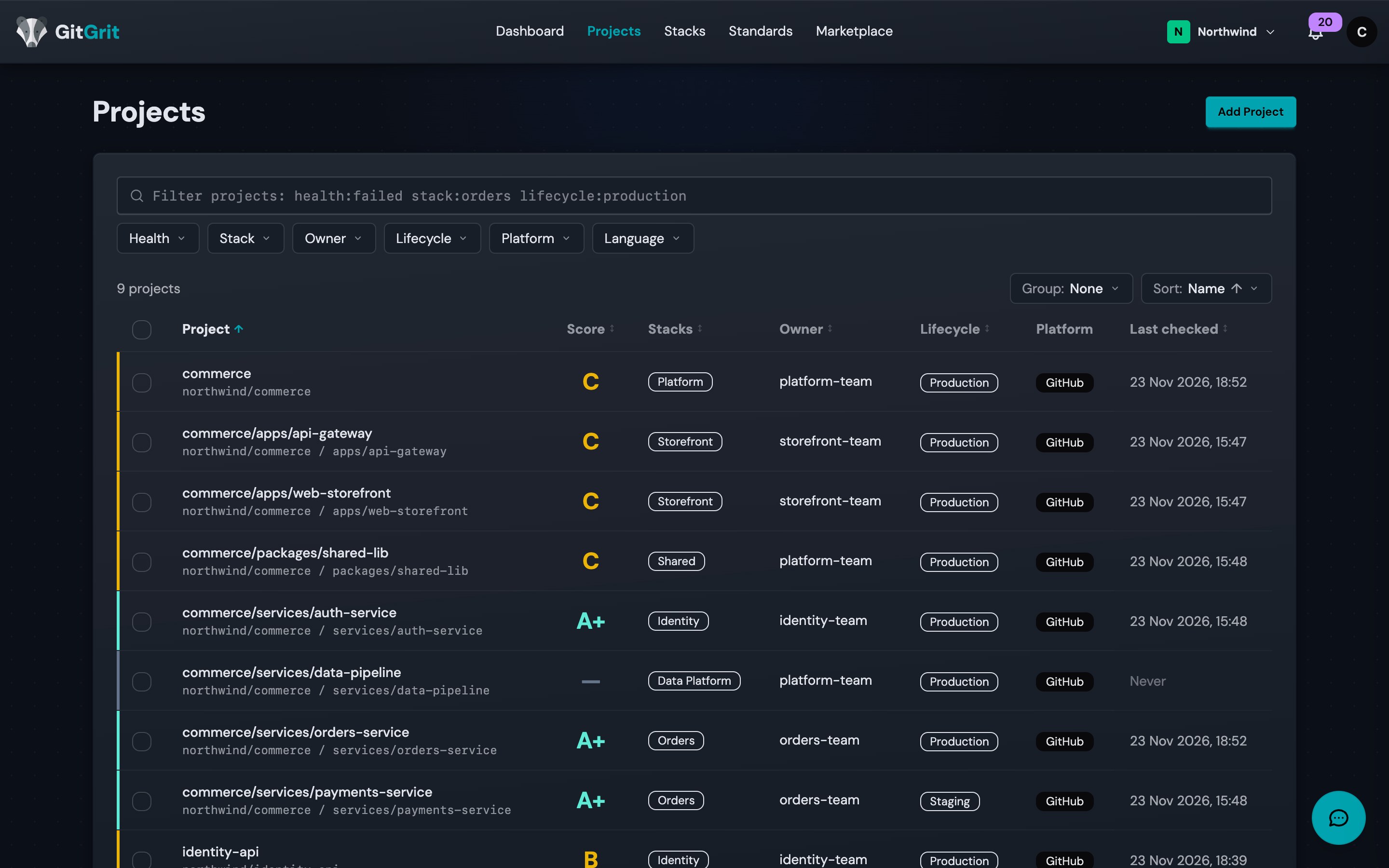
A typical monorepo becomes one project per root path:
| Root path | What to attach |
|---|---|
| (empty: the whole repository) | Repository-wide standards: CODEOWNERS, CI, LICENSE, README, secrets |
apps/web-storefront |
App standards: package.json, TypeScript, Dockerfile |
services/orders-service |
Service standards: Dockerfile, no :latest tag |
Add a project at a path
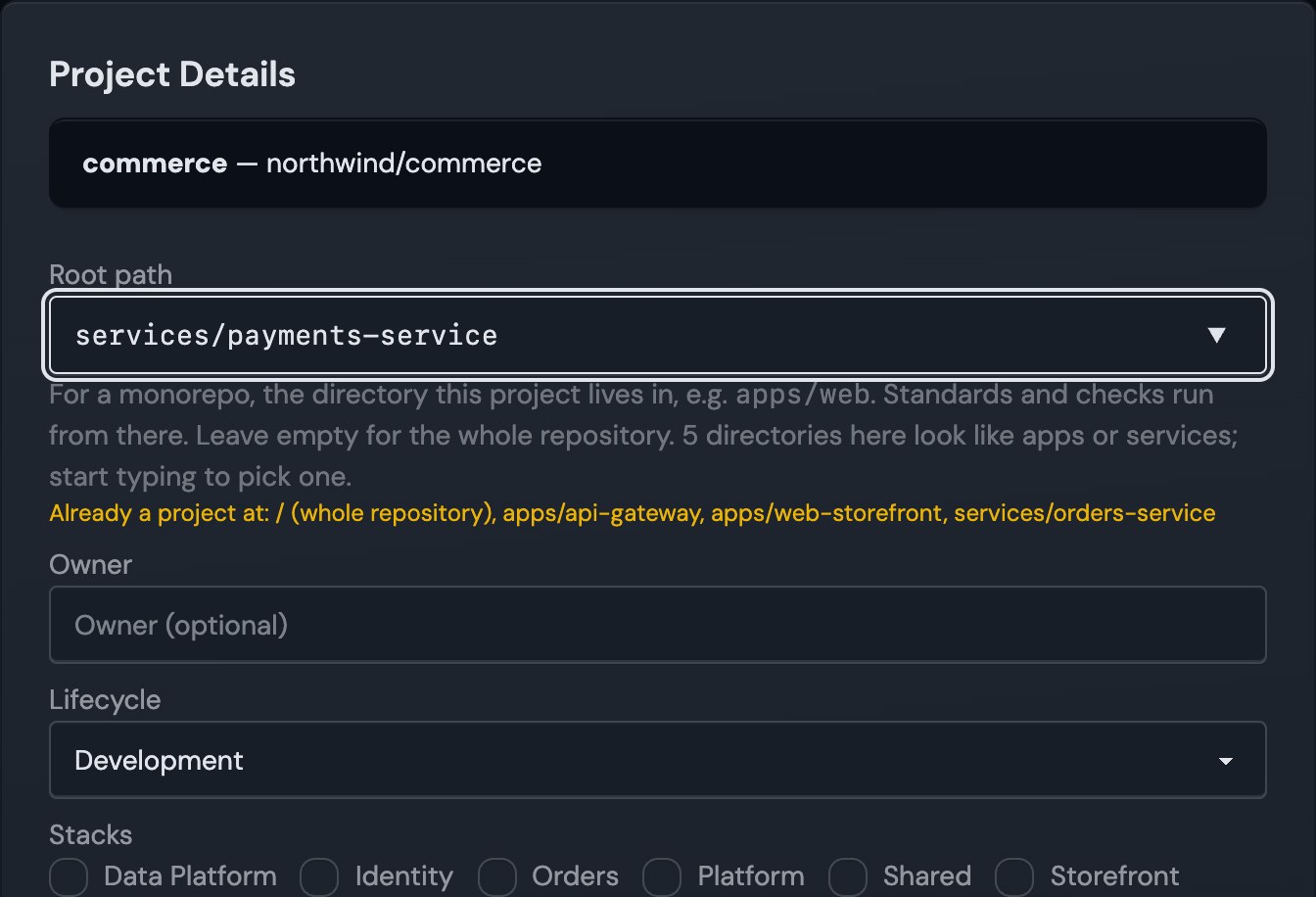
When you add a repository, fill in Root path with the directory the project lives in, e.g. apps/web. Leave it empty for the whole repository.
The field suggests the repository's directories as you type: apps, services and libraries first (directories holding a package.json, go.mod, pyproject.toml, Dockerfile and the like), then every other directory. Paths that are projects already are left out. A repository that is already a project can be added again at another path: the search and the form show the paths it is a project at.
From the terminal:
gitgrit project add northwind/commerce                         # the whole repository
gitgrit project add northwind/commerce --path apps/web-storefront
gitgrit project add northwind/commerce --path services/orders-service
Or over the API: POST projects/ with "root_path": "apps/web" (REST API).
Suggested projects
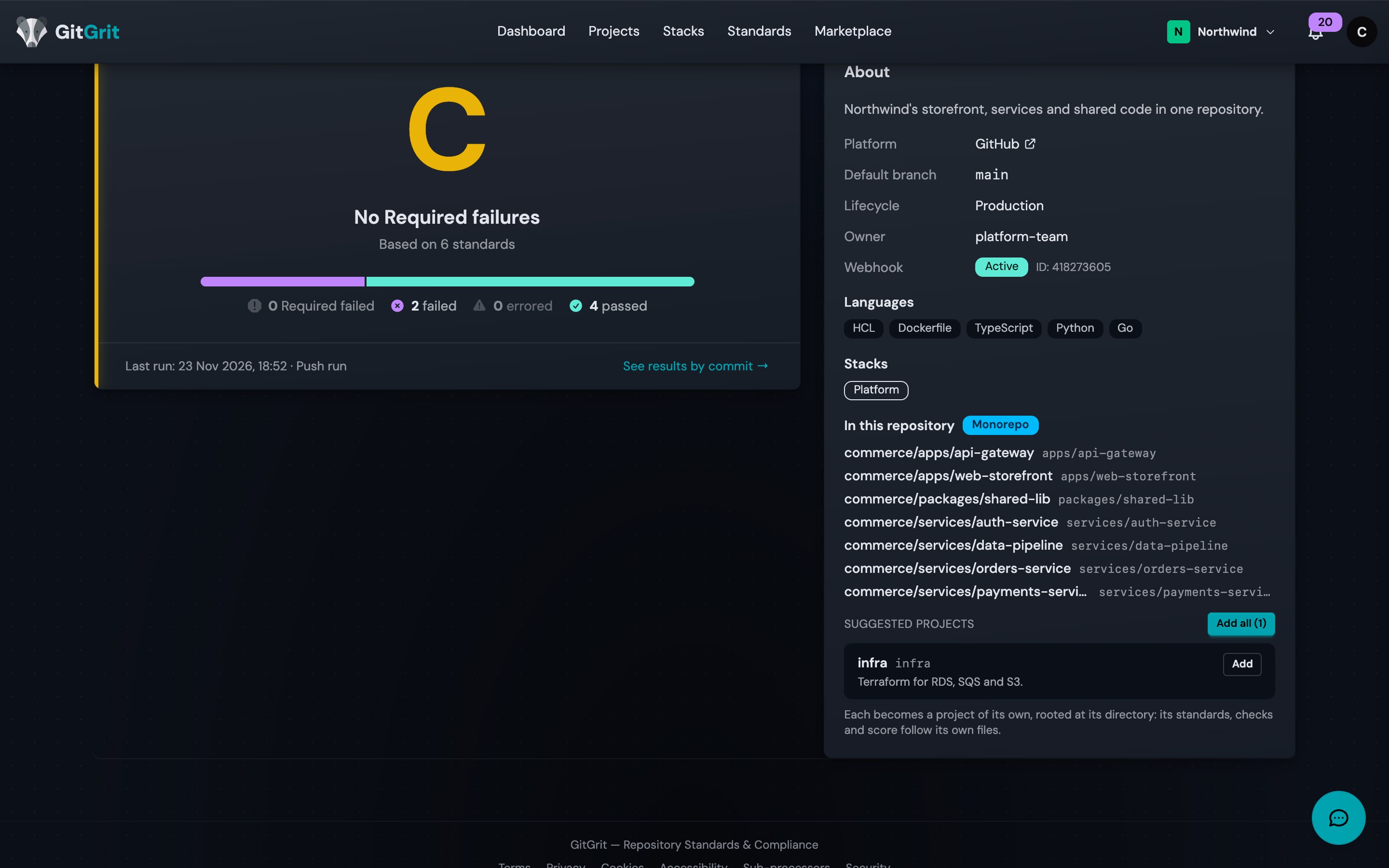
Add the whole repository first. When GitGrit maps its dependencies (with your workspace's AI model), it lists the apps, services and libraries it finds inside it as suggested projects on the project page, under In this repository. Add one, or Add all: each becomes a project at its directory, with the name, description and tech labels GitGrit found. Attach its standards from its own page.
What changes for a project at a path
- Standards read its directory. A standard that checks
package.jsonorDockerfilereadsapps/web/package.json. Standards that need a file at the repository root (a workspace lockfile, CI config) can still read it withget_repository_file_content(ProjectContext). - Repository-wide standards go on the whole-repository project. CODEOWNERS, CI config, LICENSE and README live at the root: attach them to the project with no root path, and the app and service standards to the projects at their paths.
- A push runs only the projects it touched. A push that changes
services/api/runs the whole-repository project andservices/api, notapps/web. When GitGrit can't tell what a push changed, it runs them all. - Its commits are the ones that touched its directory, and its score follows them.
- Its languages are its own, counted from its files, so language-specific standards fit it.
- One webhook per repository, however many projects it holds.
- The CLI picks the project you stand in. Inside
apps/webof a clone,gitgrit healthis about theapps/webproject. - Each project counts once towards your plan's projects (Pricing).
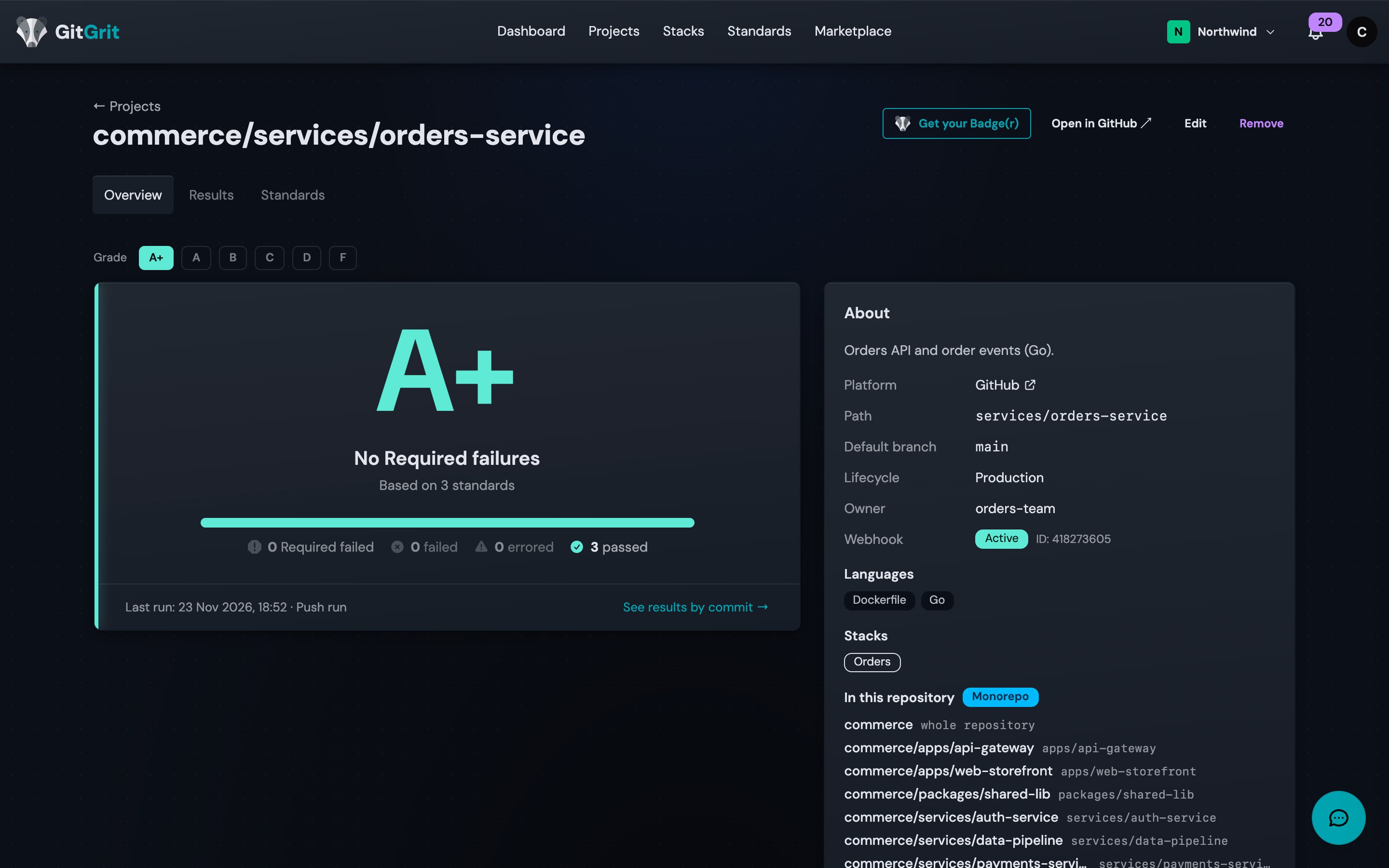
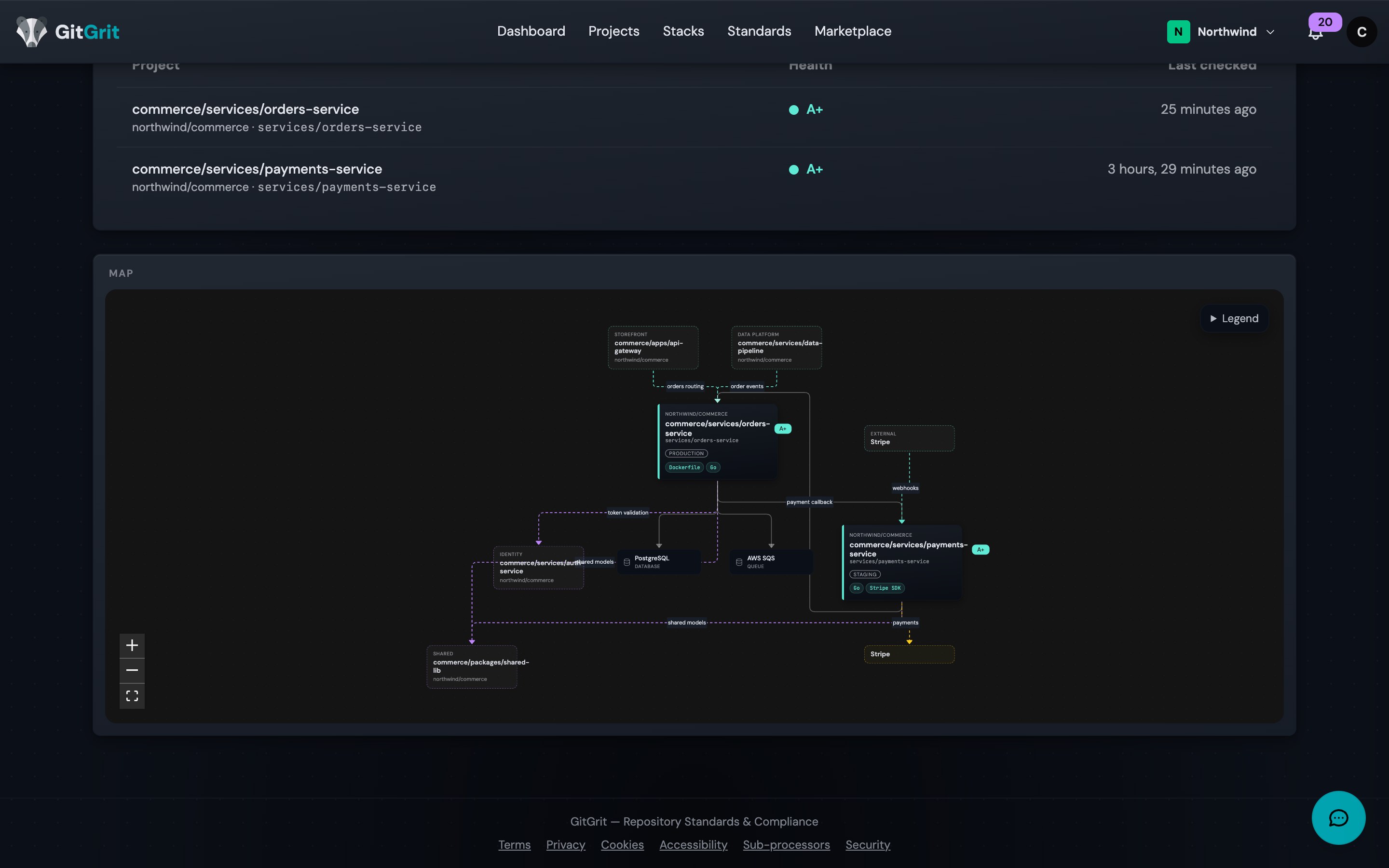
On the stack map
Every project is a card of its own on the stack map, labelled with its repository and path, so a monorepo's services connect to each other, and to projects in other repositories, like any other services.