Search & Bulk Edit
The Projects, Stacks, Standards and Marketplace lists all work the same way: a filter box that understands GitHub-style qualifiers, menus that build the query for you, sort and group controls, and bulk edit for the rows you check.
Filter
Type in the box, or pick from the menu buttons under it (Health, Stack, Owner…). The list filters as you type, and the count above it says how many rows match: "4 of 11 projects".
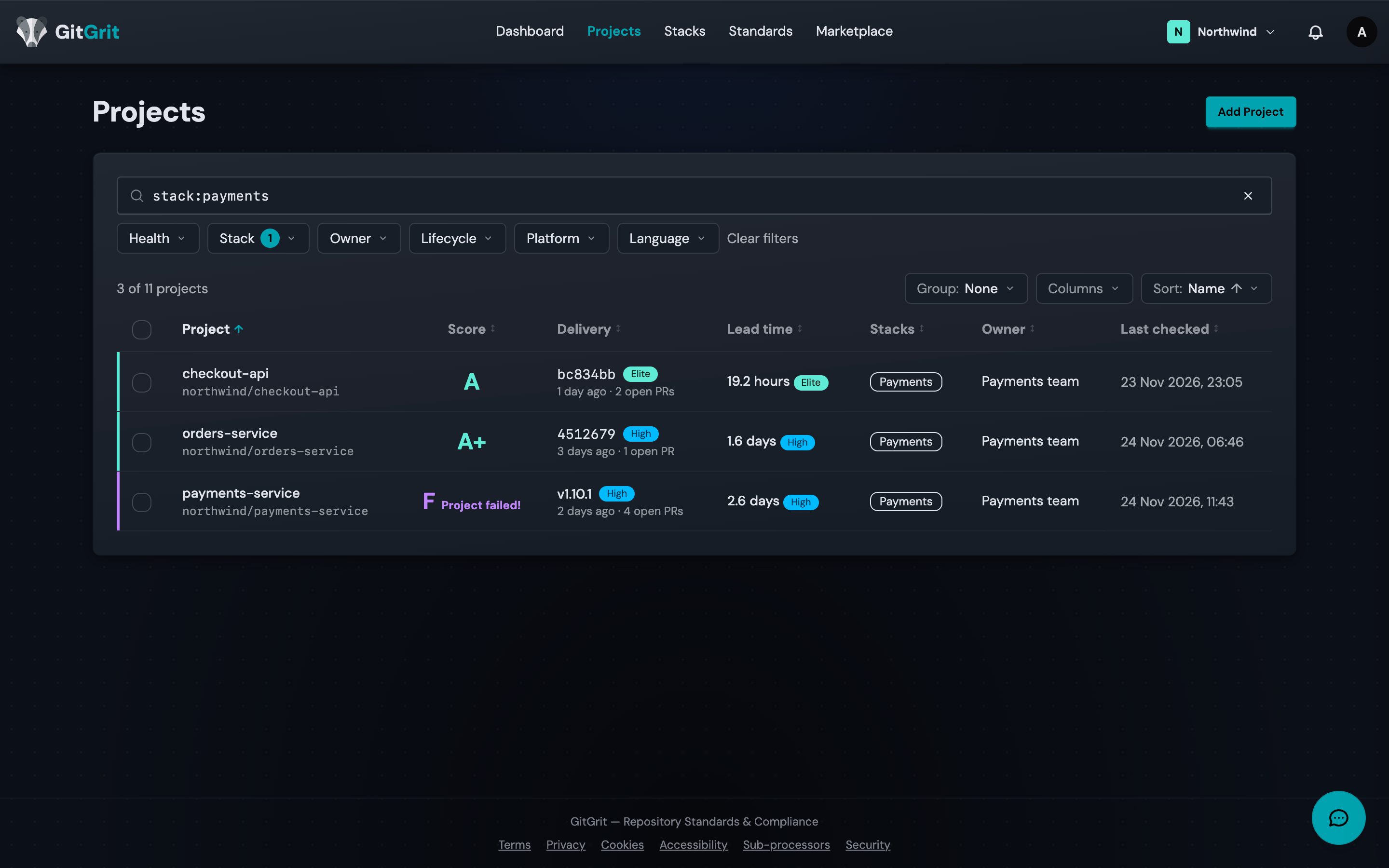
The syntax is GitHub's:
| You type | It means |
|---|---|
health:failed |
a qualifier: the field health is failed |
stack:checkout,payments |
either value matches |
-lifecycle:deprecated |
a leading - excludes |
owner:"platform team" |
quotes keep spaces in a value |
payments |
a free word, matched against what the row shows |
lifecycle:production health:needs-attention |
every part must match |
Suggestions appear under the box as you type a field or a value: pick one with the arrow keys and Enter or Tab, or the mouse. Clear filters empties the box.
Fields per list
| List | Fields |
|---|---|
| Projects | health (healthy, needs-attention, failed, unknown), stack, owner, lifecycle, platform (github, gitlab, artifact), language, name, path |
| Stacks | has (stacks with a project of that health: has:failed), owner, project, name, description |
| Standards | is (enabled, disabled, draft), label, event (push, pull_request, tag), source (marketplace, custom), name, description |
| A project's Standards tab | is (attached), importance (required, major, minor), runs (changes, schedule, both: what runs it), label, name, description |
| Marketplace | is (available, installed, update), pack, label, author, event, name, description |
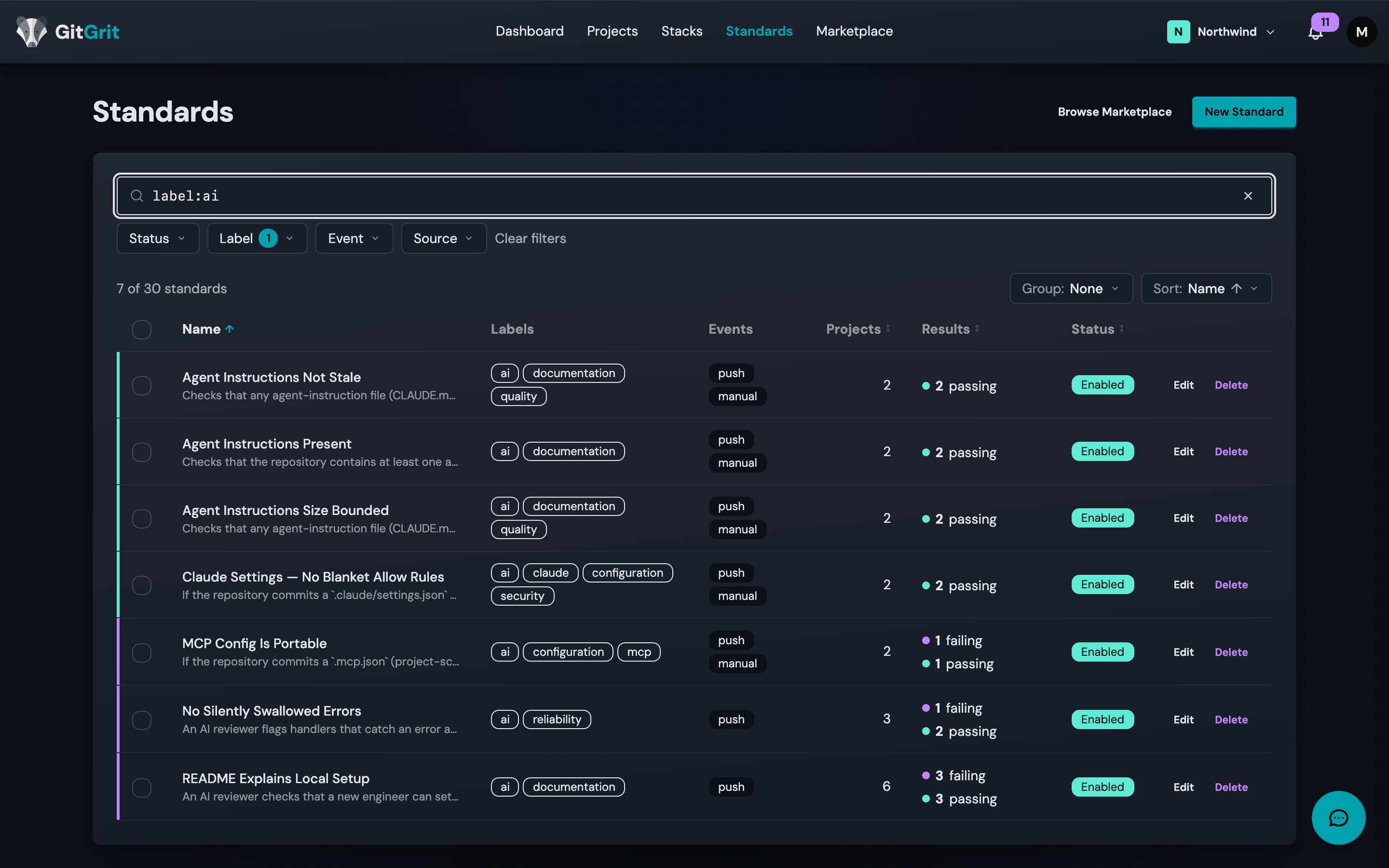
For example, on Standards, label:ai lists the AI-powered ones:
Sort and group
Sort orders the list by any column (click a column header, or use the menu; click again to reverse). Group splits it into sections, each with its own count and health:
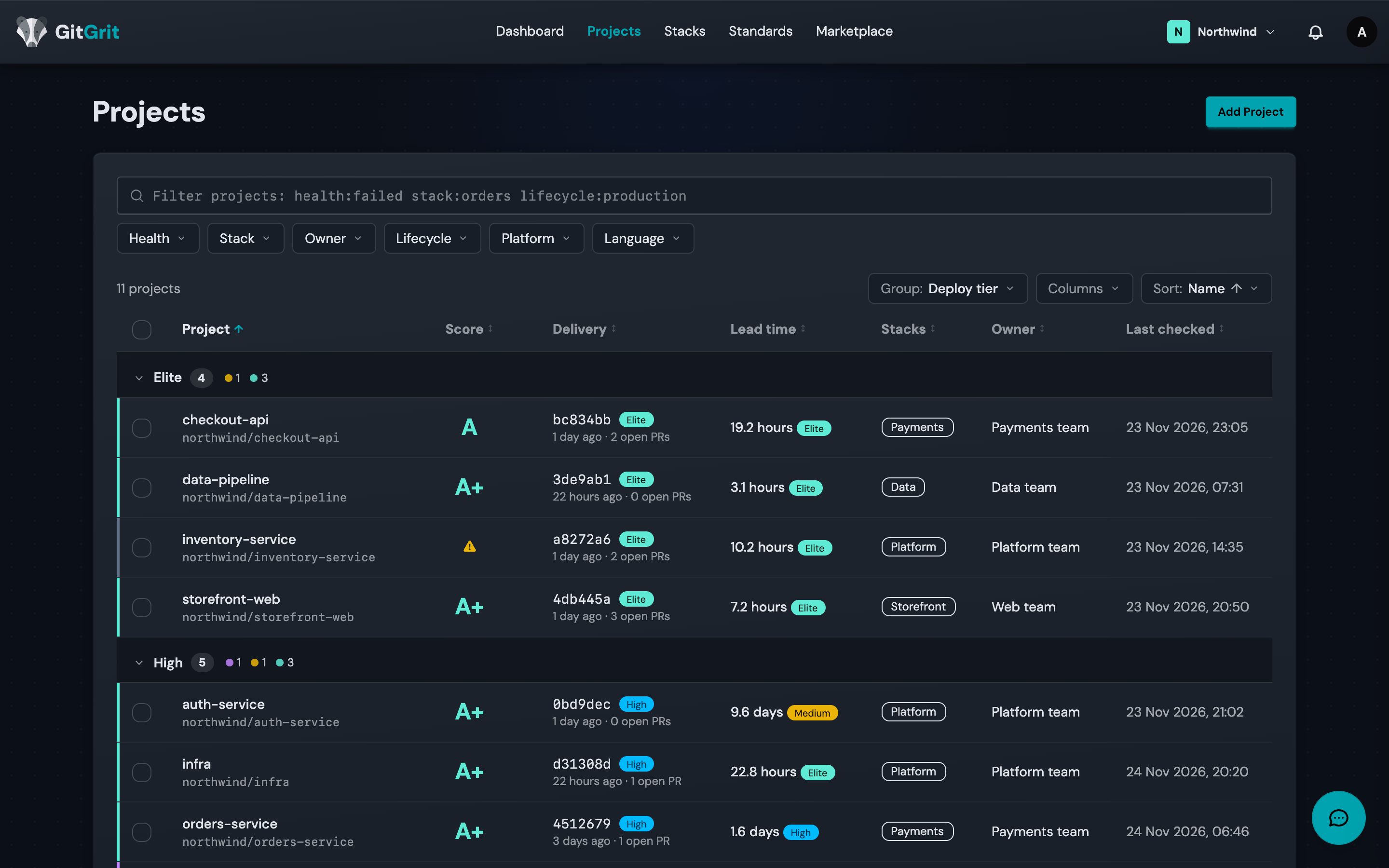
| List | Group by |
|---|---|
| Projects | owner, stack, lifecycle, platform, health, deploy tier |
| Stacks | owner |
| Standards | label, event, status, source |
| Marketplace | pack, label, author, status |
On Projects, sort also reaches delivery: Last deployed, Deploys a week, Lead time and Open pull requests.
Filters, sort and grouping stay in the page's URL, so you can bookmark a view or send it to a teammate.
Columns
On Projects, Columns picks which columns show: Score, Delivery, Lead time, Stacks, Owner, Lifecycle, Platform and Last checked. Lifecycle and platform start hidden. The menu stays open, so you can turn several on or off at once:
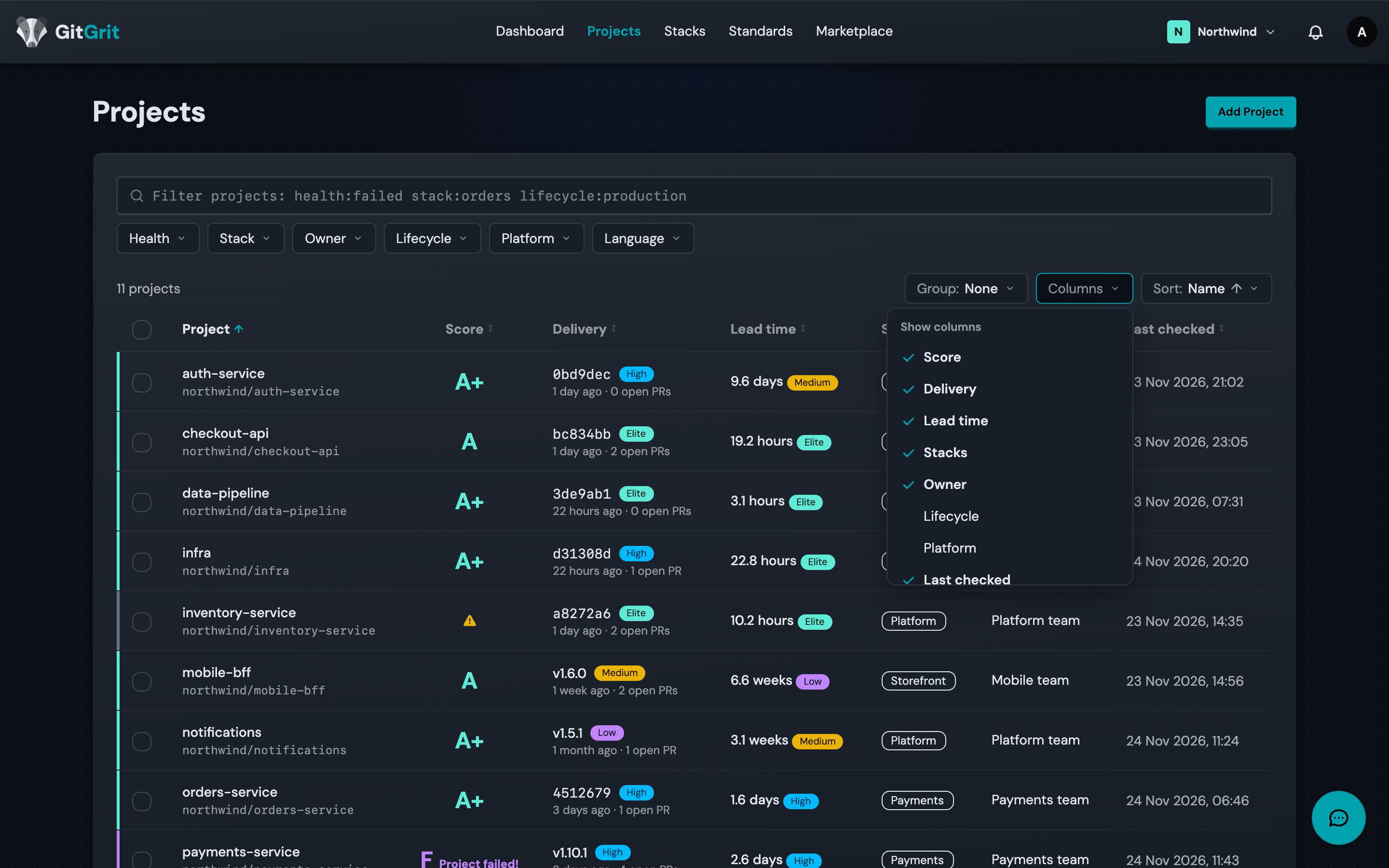
Your columns are kept in your browser, for you alone; a link you share doesn't carry them.
Bulk edit
Check rows (or the box in the header, for every row shown) and a bar appears with what you can do to all of them at once:
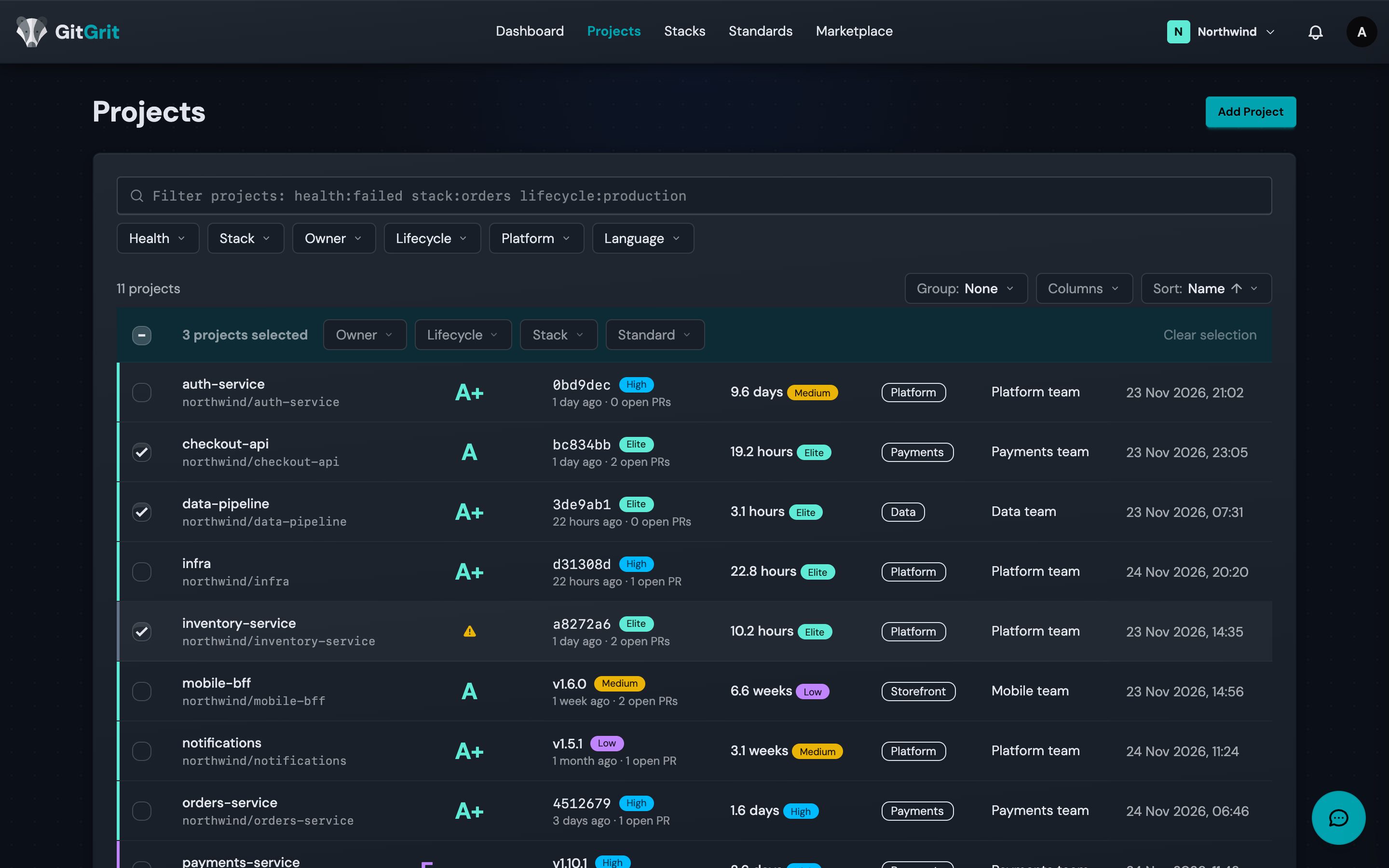
| List | Bulk actions |
|---|---|
| Projects | set owner, set lifecycle, add to or remove from a stack, attach a standard (with its importance) or detach one |
| Standards | enable, disable, add or remove a label, delete |
| Marketplace | install the checked standards, or update the installed ones |
GitGrit tells you what changed and on which rows. Attaching a standard in bulk runs it on each project, as attaching it one project at a time does.
Fix a finding everywhere
Filter Standards to the one you care about, then on Projects filter -stack:legacy language:python and attach it to every match at once. See Roll out a security fix everywhere.