Stacks & the Stack Map
A stack groups the projects that make up one system, such as Checkout or Data Platform. Health rolls up per stack, so you can see which systems are in good shape and which need work, and a map shows how their parts depend on each other.
The Stacks list
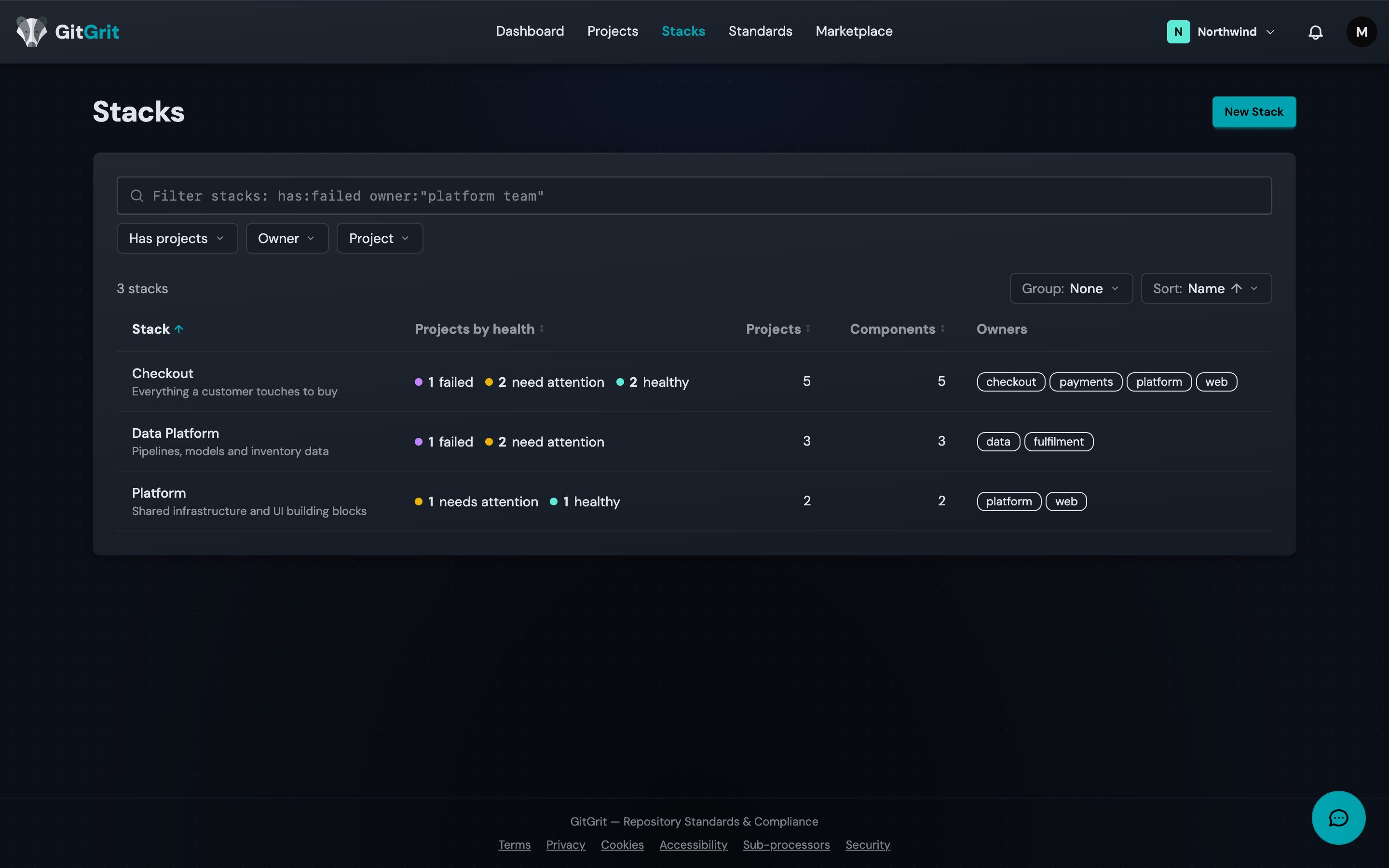
Each stack shows its projects counted by health (failed, need attention, healthy), how many projects it has, and their owners. Filter, sort and group it like every list: has:failed finds the stacks with a failed project. See Search & Bulk Edit.
Click New Stack to create one: give it a name, a description, and pick its projects.
A stack's page
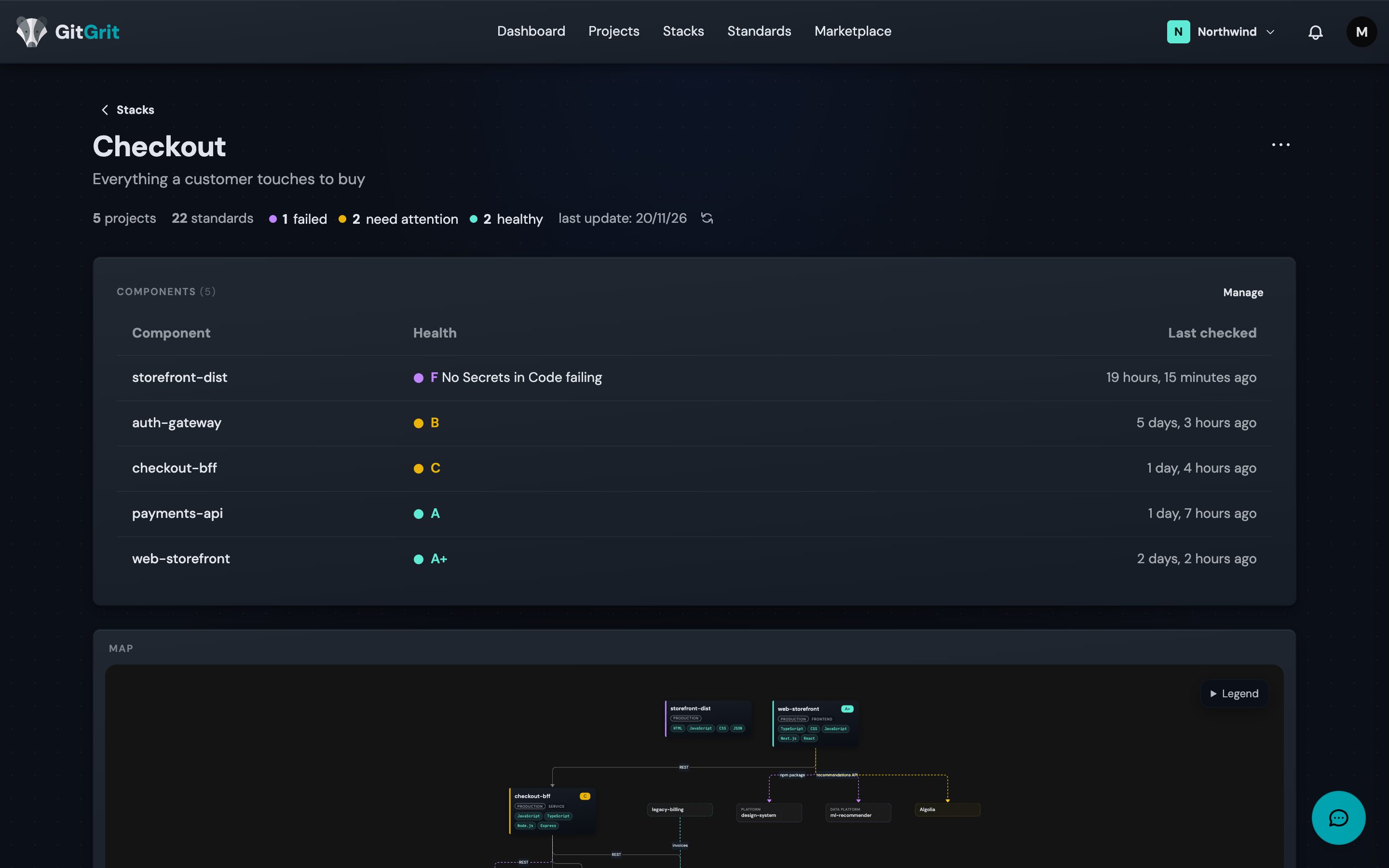
- Header: how many projects and standards the stack has, and its projects counted by health.
- Projects: each project, worst first, with its grade, what's wrong in a few words ("No Secrets in Code failing") and when it was last checked. Click one to open it.
- Map: the stack's projects and what they depend on (below).
- Manage: add or remove projects; Edit renames the stack or changes its description.
Monorepos
A monorepo's apps and services can each be a project of its own, rooted at its directory, so one monorepo can belong to several stacks, one project each.
You can also add a project to stacks when you add the project, or many projects at once with bulk edit.
The stack map
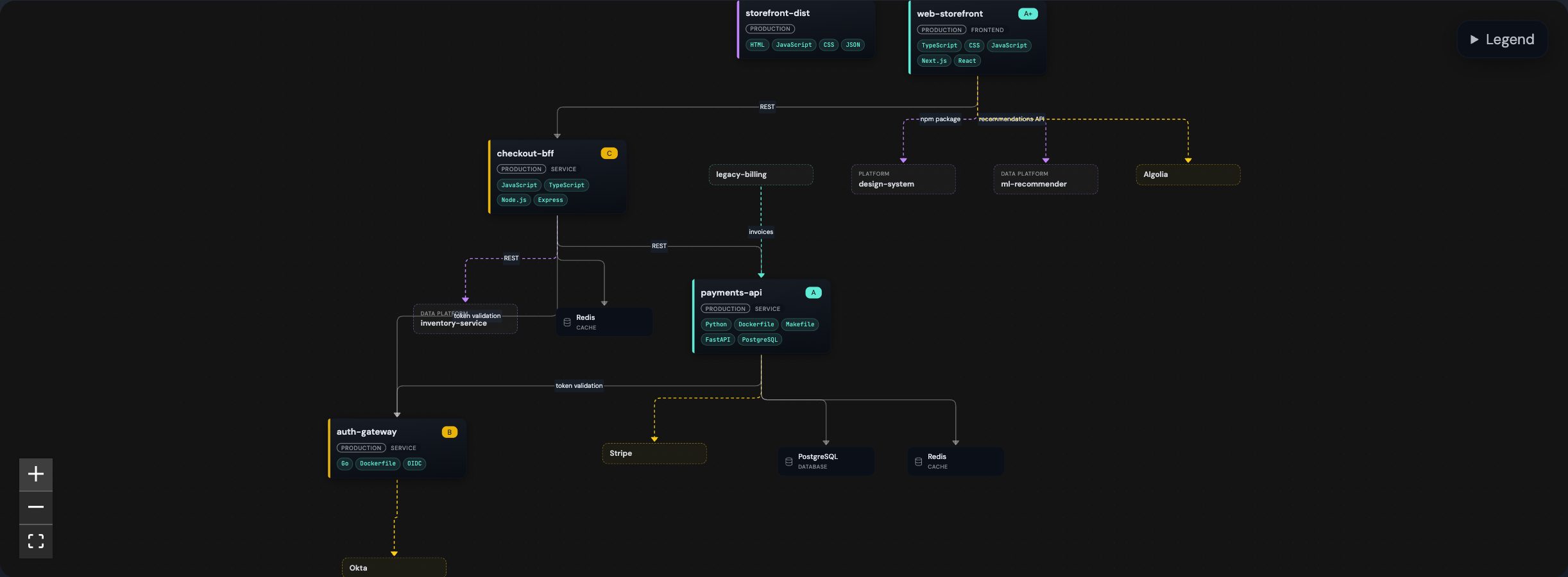
The map draws each project as a card: its name, grade, lifecycle, kind (service, frontend, library, job, infrastructure) and technologies; a project inside a monorepo also shows its repository and path. Lines show what depends on what, labelled with how (REST, npm package, token validation). It also shows what the projects use:
- Infrastructure: databases, caches, queues and object storage (PostgreSQL, Redis, Kafka, S3)
- Third parties: services outside your workspace (Stripe, Okta, Algolia)
- Projects in other stacks, dimmed, labelled with their stack
Zoom with the controls in the corner, drag to pan, and open Legend for what each line and colour means.
How the map is built
GitGrit reads each project's default branch with your AI model (the workspace's reasoning role) and infers its dependencies, then keeps the map current as code is pushed. For a whole repository it also lists the apps and services inside it as suggested projects. The files it read are listed on the project, so you can see what a map is grounded in. The tokens it spends appear on the dashboard as Dependency map (AI usage).
The map needs an LLM provider with a budget. Without one, stacks and their health work as usual; there's just no map.
On the dashboard
The dashboard's Stack map tab draws your stacks and how they depend on each other, each with its projects counted by health. See Dashboard.
From the terminal
gitgrit stack list
gitgrit stack create Checkout --description "Everything a customer touches to buy"
gitgrit stack add Checkout                                  # this project
gitgrit stack add Checkout northwind/web-storefront northwind/mono#services/cart
gitgrit stack remove Checkout northwind/legacy-billing
gitgrit stack view Checkout                                 # health and projects
gitgrit stack edit Checkout --name "Checkout & Payments"
gitgrit stack delete Checkout --yes
A project is named org/repo for a whole repository, or org/repo#path for one inside a monorepo.