Scheduled Standards
A standard runs on every change by default: each push and pull request it applies to. Some don't need to. An AI standard that reviews error handling costs tokens on every push, but the answer rarely changes from one commit to the next. Put it on a schedule, say weekdays at 06:00, and it runs once a day on the default branch instead. Its latest result still counts in the project score.
Schedules belong to the attached standard, like importance: the same standard can run on every change on one project and once a week on another.
What runs a standard
| Runs | When it runs | Use it for |
|---|---|---|
| On every change (default) | Each push and pull request it applies to | Fast, cheap checks: files exist, a version is pinned |
| On a schedule | Only at its scheduled times, on the default branch | Expensive or slow checks whose answer changes slowly: AI reviews, dependency audits |
| Changes and schedule | Both: on each change, and again at its times | Checks that can change with no push at all: an end-of-life date, a deprecated base image |
Anyone can still run any standard by hand from the project page.
Set a schedule
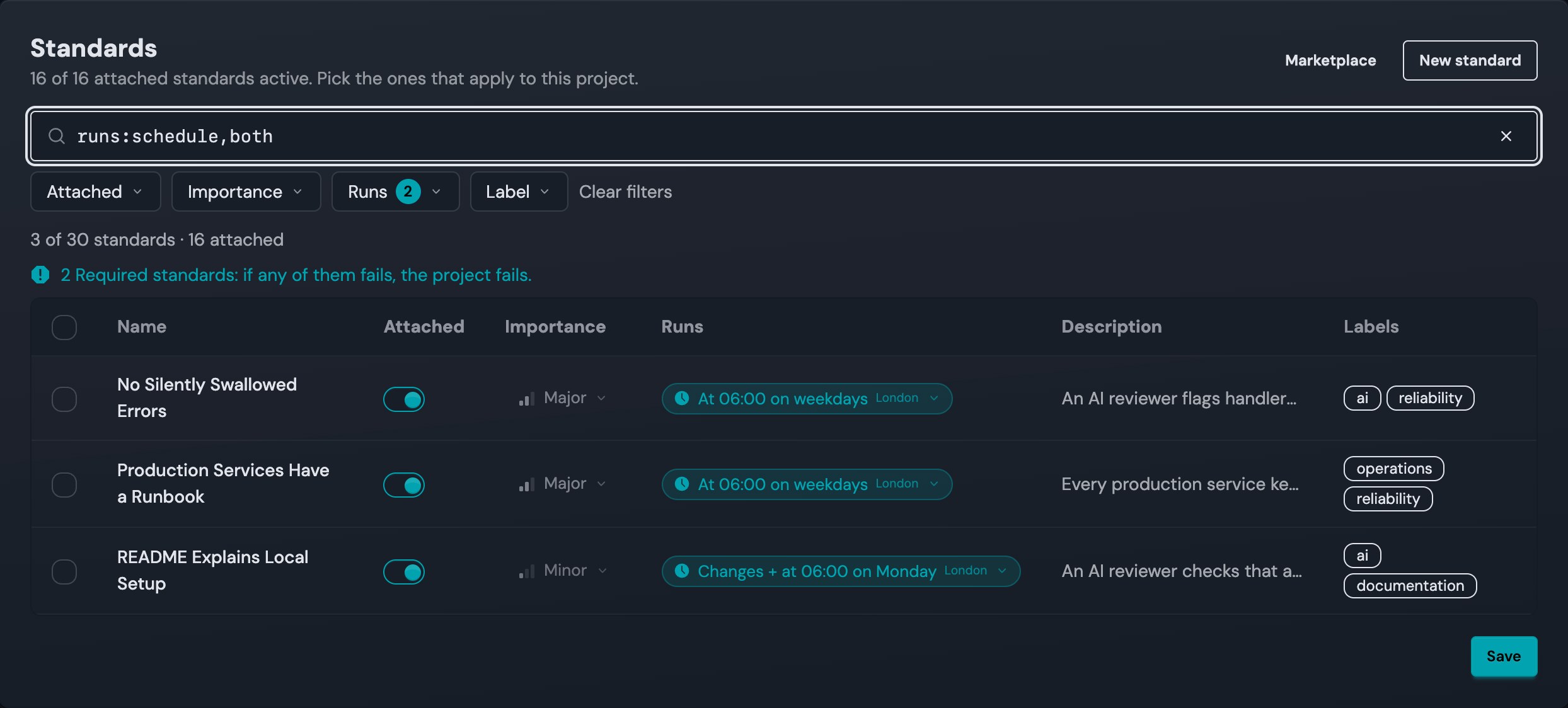
On a project's Standards tab, the Runs column shows what runs each attached standard, and a schedule's time zone. Click a row's chip, or check several rows and click Runs in the bar above the table, then click Save.
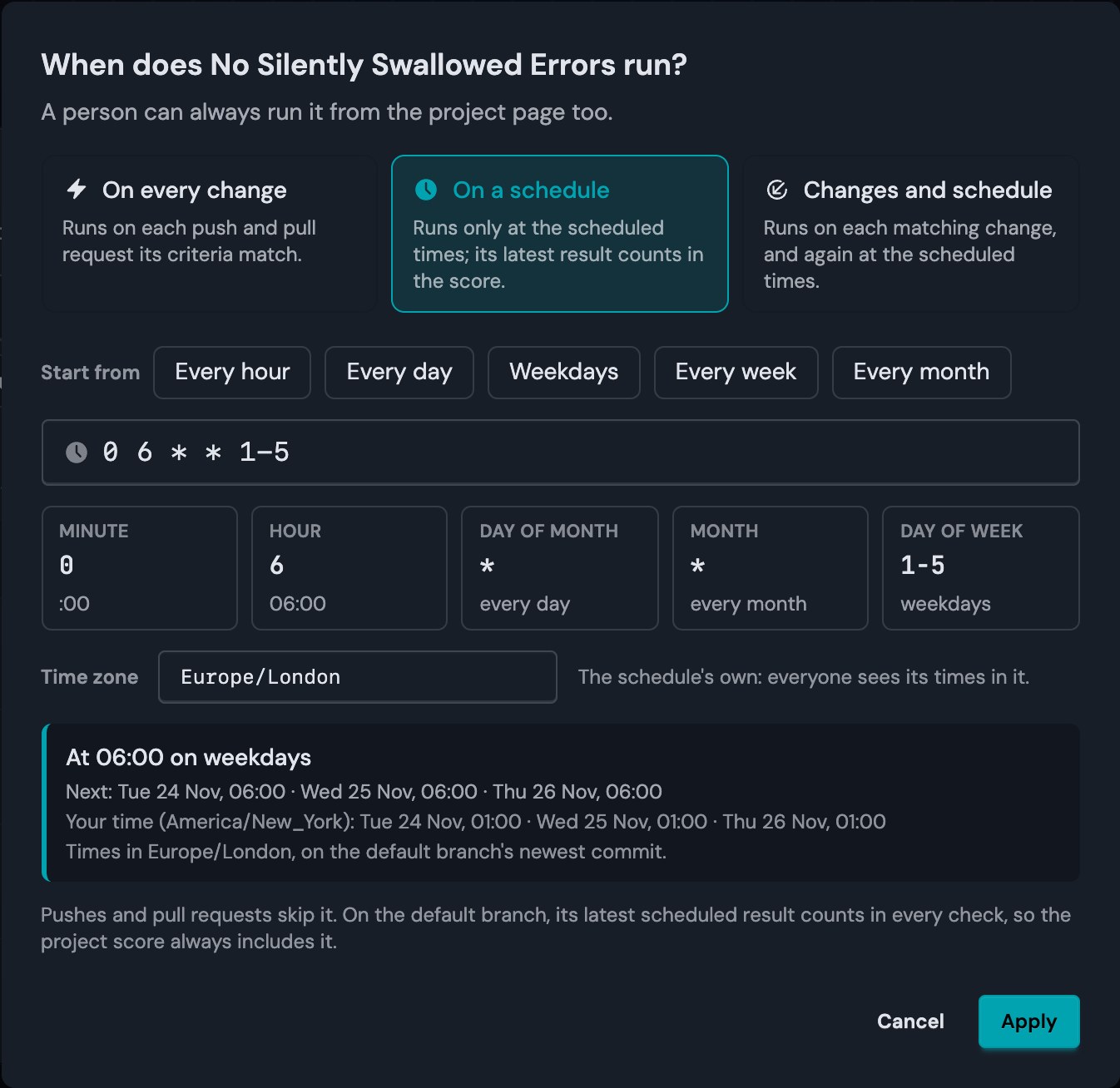
The editor writes the schedule as a cron expression, the five fields developers already know, without making you remember them:
- Start from a preset: every hour, day, weekday, week or month. Presets keep the time of day you already picked.
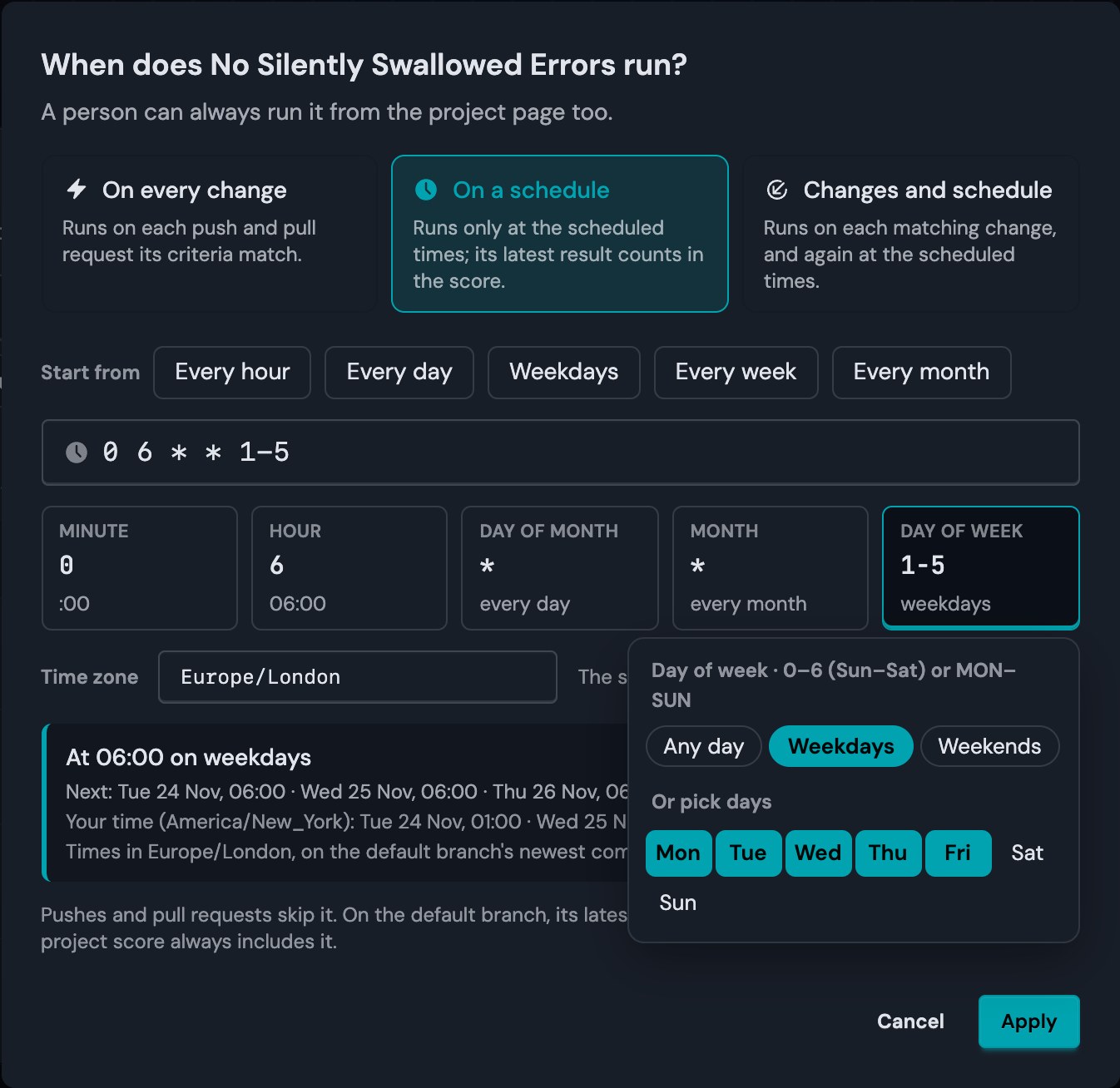
- Pick each field from its menu: Every hour, steps such as every 6 hours, or tick the values you want. Ticked values that follow each other become a range (
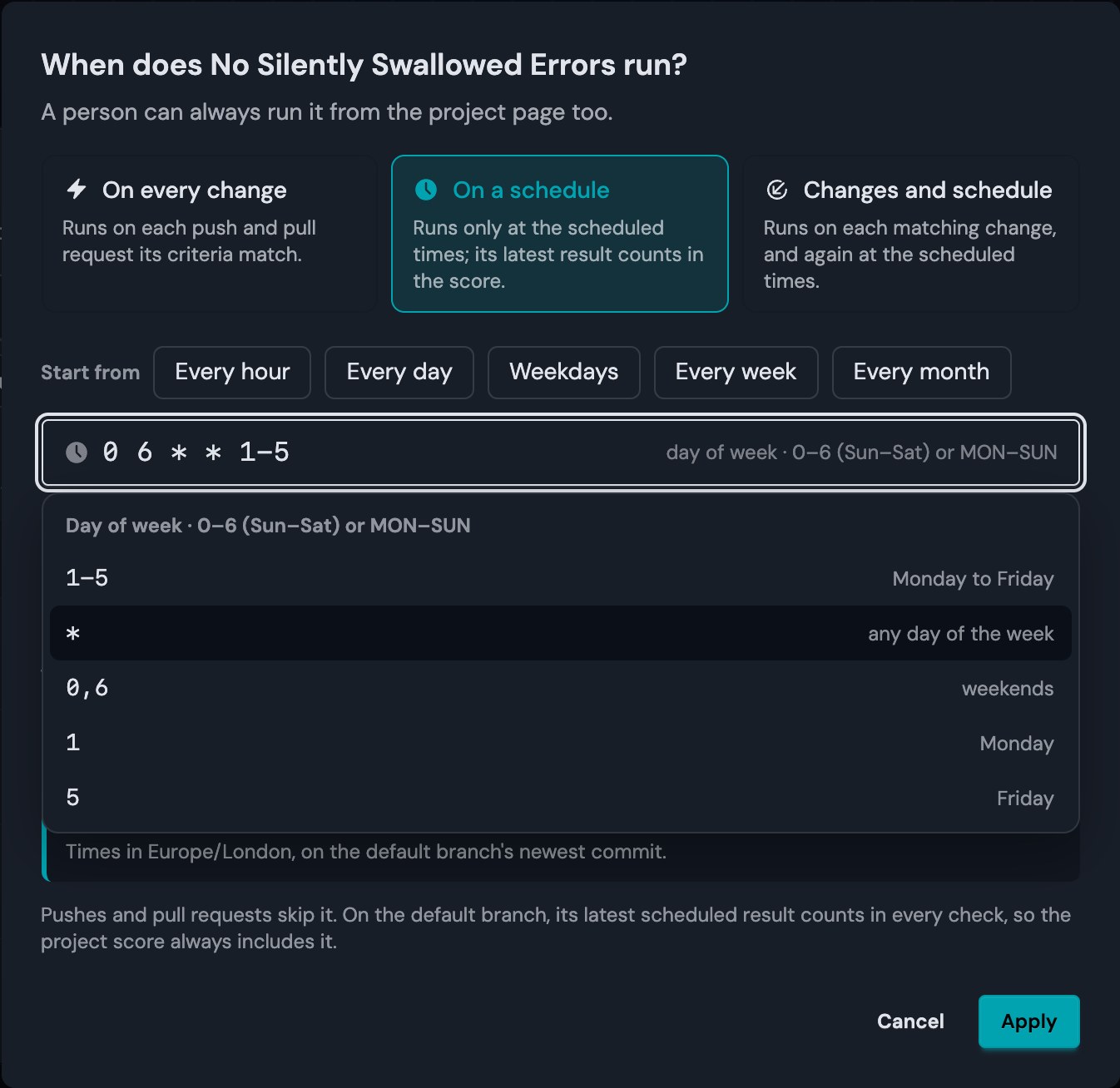
1-5). - Or type it. The box names the field the caret is in and suggests values for it.
Under the fields, pick the schedule's time zone. GitGrit then reads the schedule back in words, with its next three times, so you never guess what a * means:
| Cron | Reads |
|---|---|
0 6 * * 1-5 |
At 06:00 on weekdays |
0 9 * * * |
Every day at 09:00 |
30 2 * * 0 |
At 02:30 on Sunday |
0 */6 * * * |
Every 6 hours |
0 6 1 * * |
At 06:00 on day 1 of the month |
@hourly, @daily, @weekly and @monthly work too, and are spelled out when you save.
A few rules:
- A schedule has its own time zone. Pick it under the fields (type to search every zone). It starts in the zone on your profile, else your browser's. The schedule's times are the same for everyone: a teammate in New York reads "06:00 · Madrid", not their own 00:00. When your zone is another, the reading adds your own times under the schedule's.
- More often than hourly is allowed but flagged. The editor warns you, since an AI standard on
*/5 * * * *costs more than one on every push. - Missed times are skipped, not caught up. If GitGrit was down at 06:00, the standard runs at its next time.
- Every scheduled standard of a project that is due at the same minute runs in one check.
What a scheduled run checks
A scheduled run checks the newest commit on the project's default branch, the commit the project's score comes from. It runs the standards that are due and that apply to that branch.
A standard that runs only on a schedule is not part of the checks of other branches or of pull requests: a feature branch's grade comes from its standards that run on changes. A standard on Changes and schedule still runs on every branch's pushes; only its scheduled runs are limited to the default branch.
The score
A project's score is still its default branch's newest commit (The score). What changes is that every check on the default branch now covers every attached standard, including the ones it didn't run:
- A push runs the standards that run on changes. Each schedule-only standard carries its latest result on the branch.
- A scheduled run runs the due standards on the newest commit. Every other standard carries its latest result.
So the score always counts every standard, and moves when a scheduled run finds something, even with no push that day. A carried result says so, and where it came from:
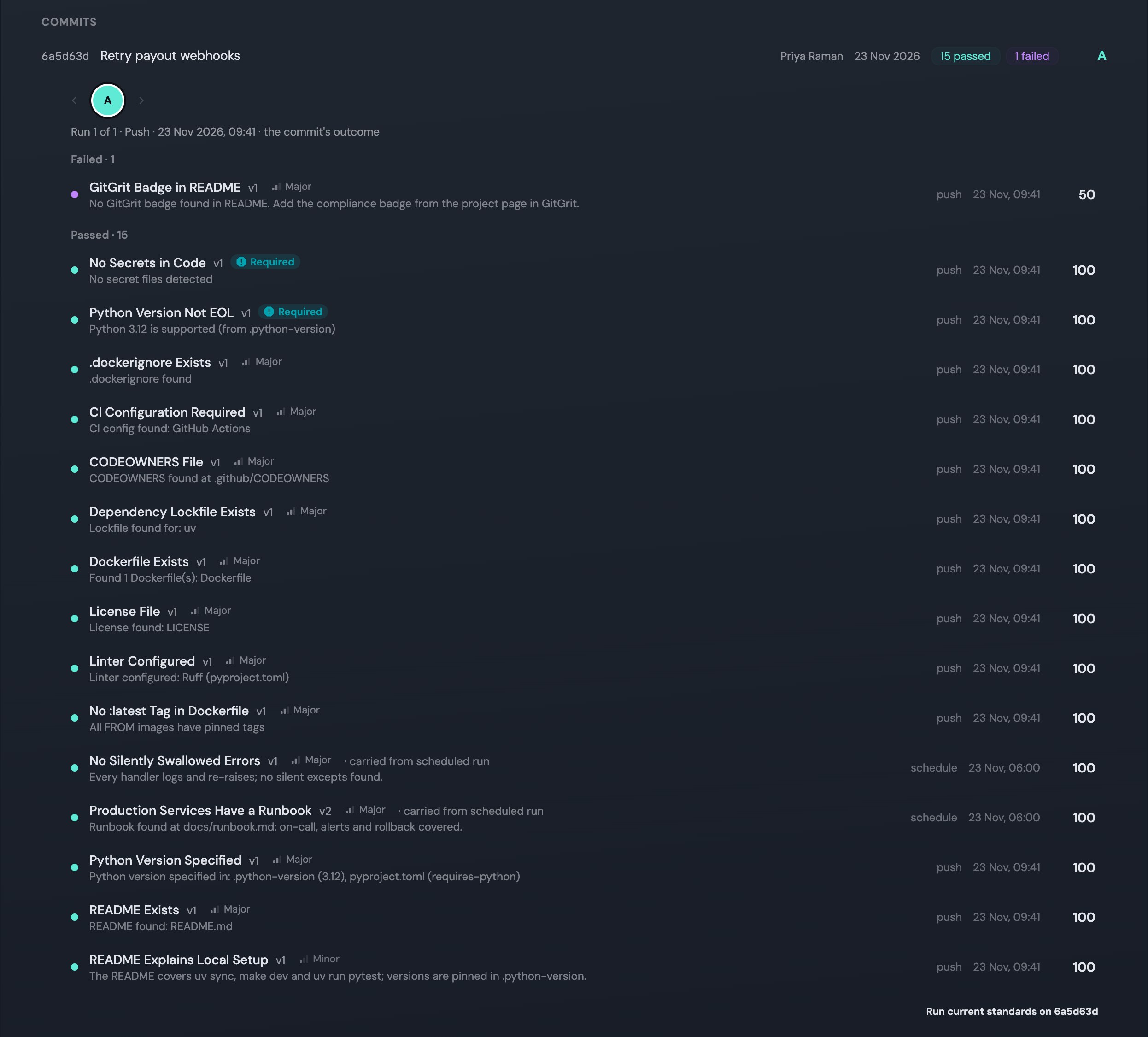
A scheduled run is a check of its own on the commit's timeline, marked Scheduled:
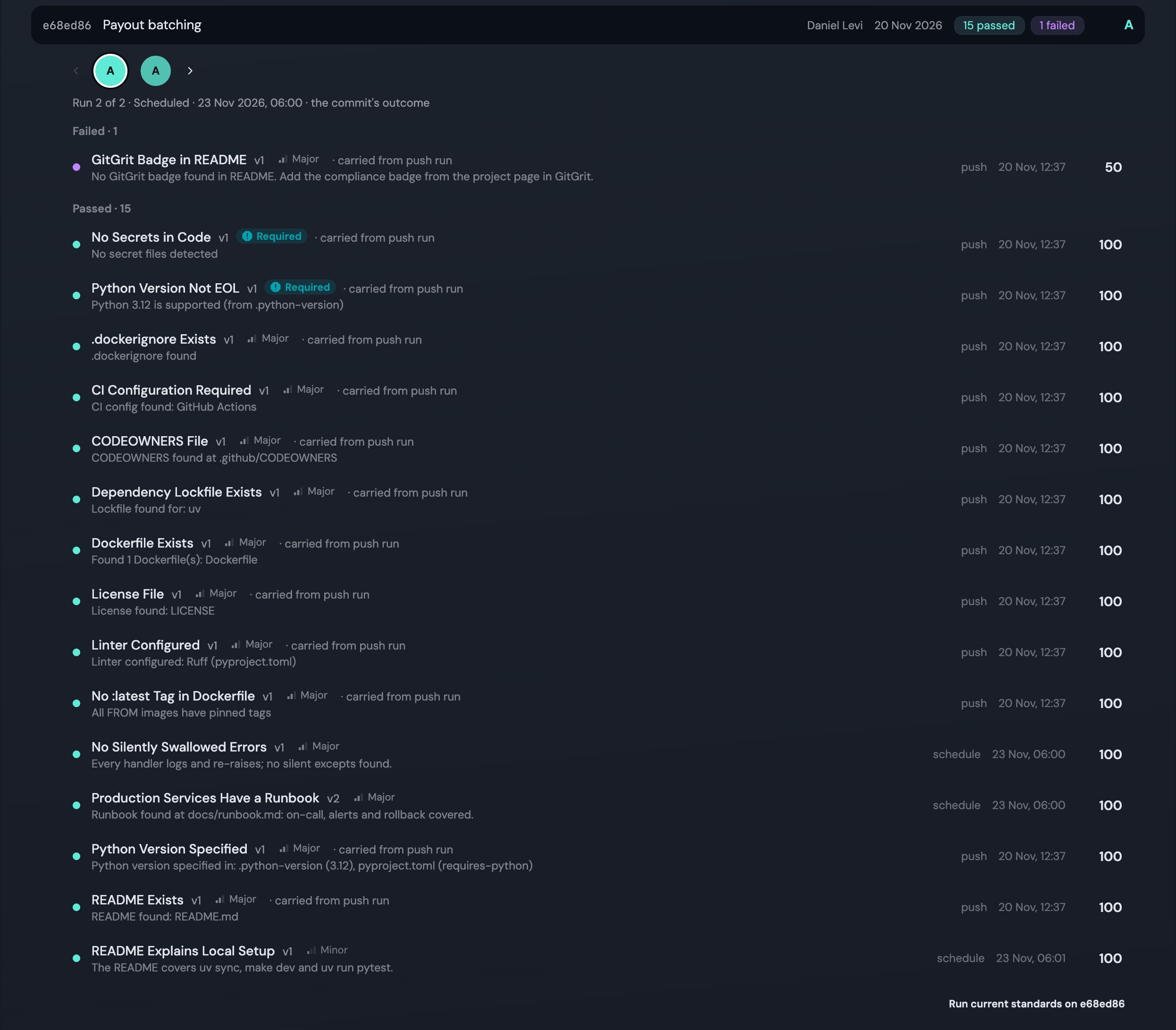
A carried result is the newest finished run of that standard on the same branch, started before the check. A standard that has never run on the branch has nothing to carry, so the check has no score until it runs: when you put a new standard on a schedule, run it once by hand rather than wait for its first time. If a run finishes after a newer check already carried an older result, that newer check is scored again.
Cut AI spend
Filter the Standards tab to label:ai, check every row and set Runs to a daily schedule: their tokens go from once per push to once per day per project, and you can see the difference under AI usage.
Find scheduled standards
The Standards tab's filter takes a runs field: runs:changes, runs:schedule, runs:both, or several at once, runs:schedule,both (Search & Bulk Edit).
On the Results tab a scheduled check reads Scheduled; in usage, its runs count as Scheduled run.