REST API & Tokens
Everything you do in the web app, you can do over HTTP. The gitgrit CLI is built on the same API.
- Base URL:
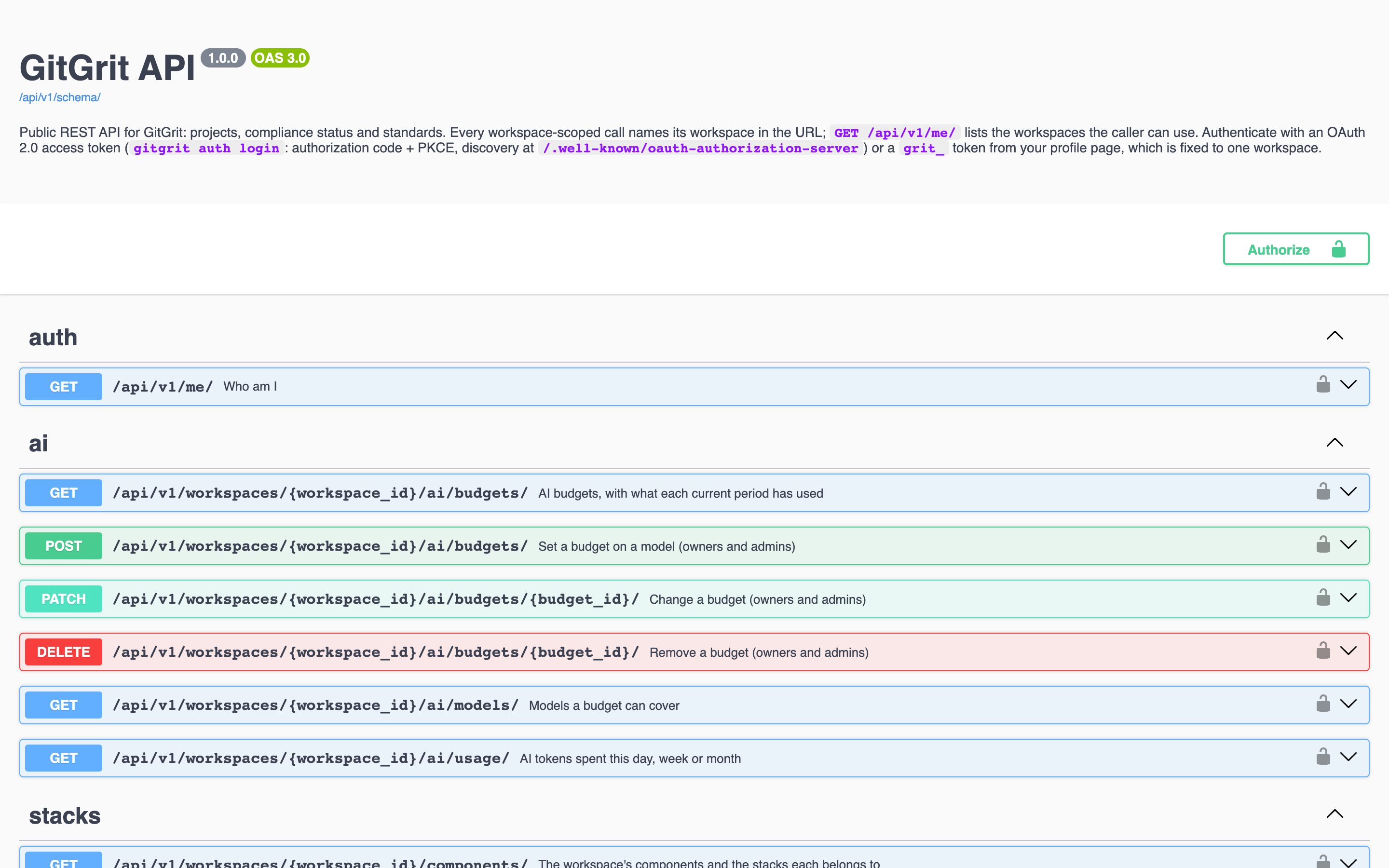
https://app.gitgrit.dev/api/v1/(or your own host when self-hosting) - Interactive docs:
/api/v1/docs/, a Swagger UI where you can try each call - OpenAPI 3 spec:
/api/v1/schema/, for generating a client
Authenticate
Send a token in the Authorization header:
There are two kinds of token:
| Personal token | Workspace token | |
|---|---|---|
| Prefix | grit_pat_… |
grit_ws_… |
| Acts as | you | the workspace |
| Reaches | every workspace you belong to | one workspace |
| Created in | Profile → Personal access tokens | Workspace Settings → API Tokens (owners and admins) |
| Best for | scripts on your laptop, local tools | CI/CD and other automation |
| When its creator leaves | stops working | keeps working |
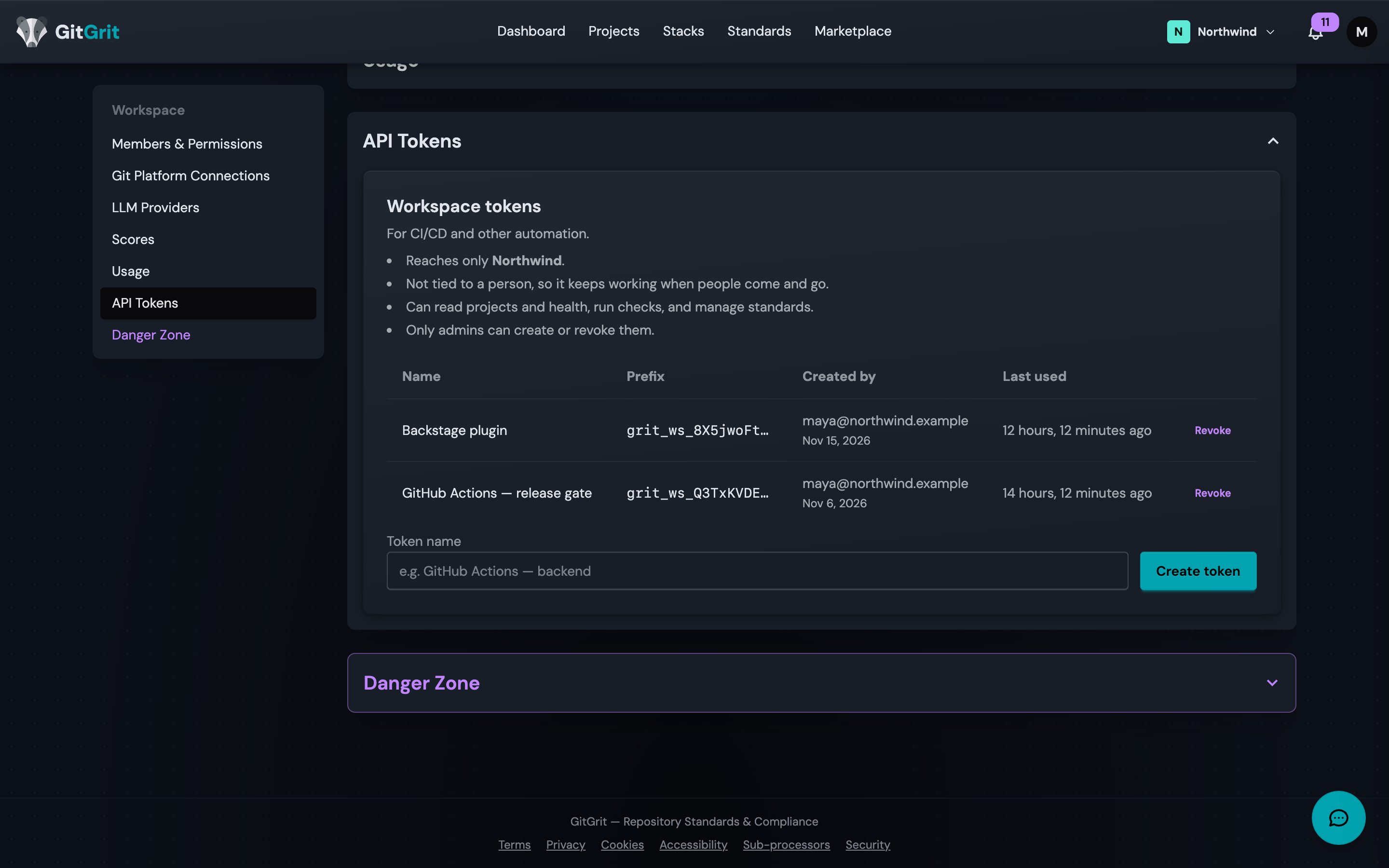
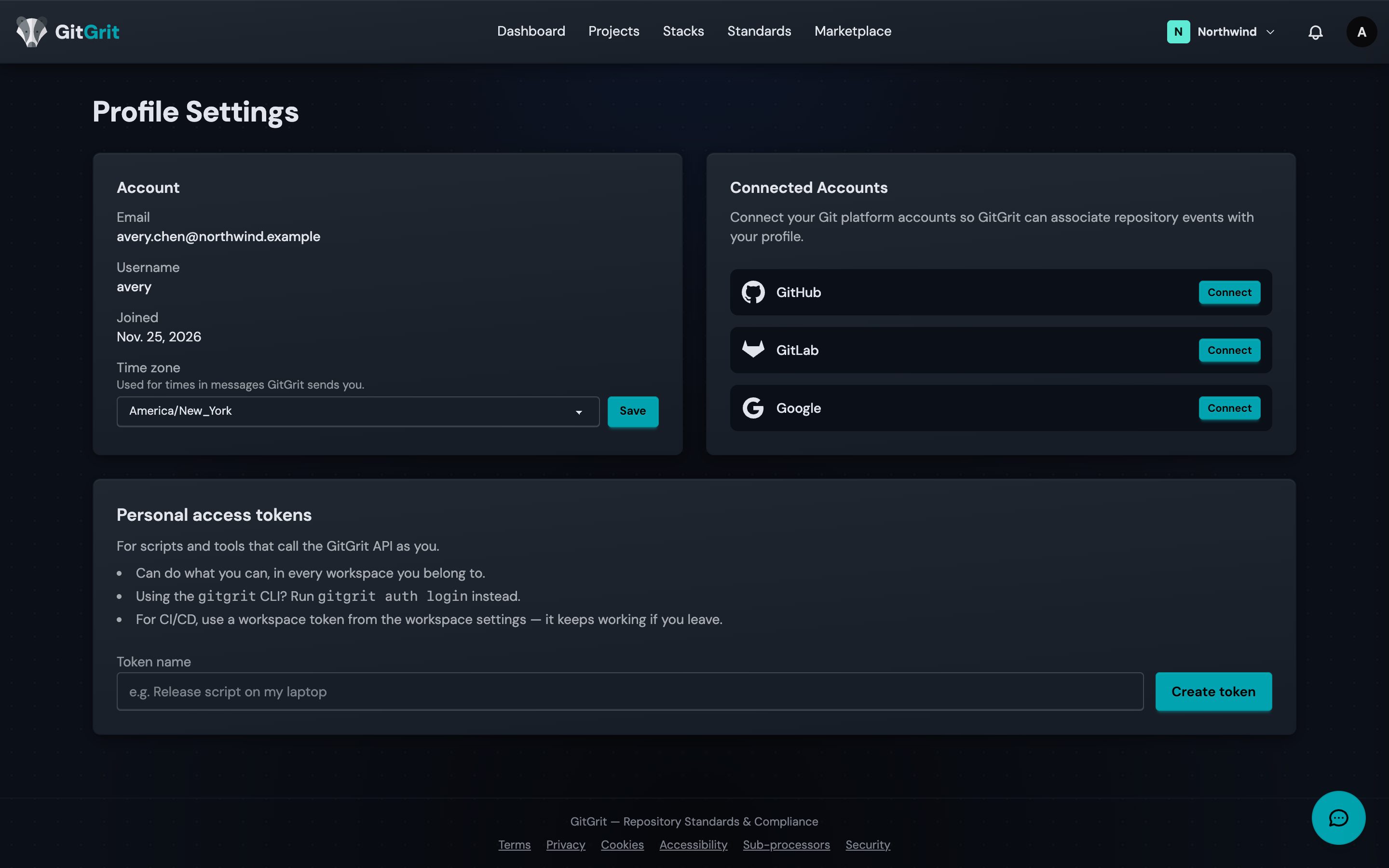
A new token is shown once, right after you create it. Copy it then: GitGrit stores only a hash. Each row shows its prefix, who created it and when it was last used. Revoke a token from its row; anything still using it gets 401 from then on.
In CI, use a workspace token
A workspace token isn't tied to a person, so a build doesn't break when someone leaves the team. It can read projects and health, run checks and manage standards, in its own workspace only.
The workspace is in the URL
Almost every endpoint lives under a workspace:
GET /api/v1/me/ returns you and the workspaces you belong to, with their ids.
Endpoints
Paths below are relative to /api/v1/workspaces/{workspace_id}/.
Projects and health
| Method | Path | What it does |
|---|---|---|
GET |
overview/ |
The dashboard in one call: health counts, warning lights, what needs you |
GET POST |
projects/ |
List projects; add a repository as a project (root_path for a monorepo directory) |
GET |
projects/resolve/?repo_full_path=org/repo |
Find a project by its repository path (or ?web_url=); &path= picks the monorepo project that directory is in |
GET PATCH DELETE |
projects/{project_id}/ |
One project; change its lifecycle or owner; remove it |
GET |
projects/{project_id}/status/ |
The project's grade and score, and why |
GET |
projects/{project_id}/health/ |
Each attached standard's latest result |
GET |
projects/{project_id}/branches/ |
Branches, each with its score |
GET POST |
projects/{project_id}/commits/ |
A branch's commits, each with its score; upload a commit to an artifact project |
GET |
projects/{project_id}/commits/{sha}/ |
Every check of one commit and what it found |
POST |
projects/{project_id}/checks/ |
Run the standards on a commit (what gitgrit check calls) |
GET POST |
projects/{project_id}/standards/ |
Attached standards and their importance; attach more |
PATCH DELETE |
projects/{project_id}/standards/{standard_id}/ |
Set one standard's importance; detach it |
Standards and the marketplace
| Method | Path | What it does |
|---|---|---|
GET POST |
standards/ |
List or create standards |
GET PATCH DELETE |
standards/{standard_id}/ |
Read, edit or archive one |
POST |
standards/{standard_id}/enable/, …/disable/ |
Turn a standard on or off |
POST |
standards/test/ |
Run standard code against its test cases, without saving |
GET |
marketplace/ |
Packs and standards, and which are installed |
GET |
marketplace/packs/{slug}/ |
A pack's standards |
POST |
marketplace/packs/{slug}/install/ |
Install a whole pack |
POST |
marketplace/standards/{slug}/install/, …/update/ |
Install one standard, or update it to the latest version |
Stacks
| Method | Path | What it does |
|---|---|---|
GET POST |
stacks/ |
List or create stacks |
GET PATCH DELETE |
stacks/{stack_id}/ |
Read, rename or delete a stack |
POST |
stacks/{stack_id}/projects/ |
Add projects to a stack |
DELETE |
stacks/{stack_id}/projects/{project_id}/ |
Remove a project from a stack |
POST |
stacks/{stack_id}/refresh/ |
Rebuild the stack's map |
Connections
| Method | Path | What it does |
|---|---|---|
GET POST |
connections/ |
List git platform connections; add one with a token |
GET |
connections/{connection_id}/repositories/ |
Repositories a connection can reach |
AI
| Method | Path | What it does |
|---|---|---|
GET POST |
llm/providers/ |
LLM providers; add one |
PATCH DELETE |
llm/providers/{provider_id}/ |
Edit or remove a provider |
POST |
llm/providers/{provider_id}/test/ |
Check the provider's key works |
POST |
llm/providers/{provider_id}/models/refresh/ |
Re-read the models the key can use |
GET |
llm/roles/ |
Which model each role (reasoning, code) uses |
PUT DELETE |
llm/roles/{role}/ |
Point a role at a model; clear it |
GET |
ai/usage/ |
Tokens spent, per provider, model, category and standard |
GET |
ai/models/ |
Models you can budget |
GET POST |
ai/budgets/ |
Budgets; add one |
PATCH DELETE |
ai/budgets/{budget_id}/ |
Change or remove a budget |
Scores in responses
A commit, branch or project score is one object. Read outcome first:
{
  "outcome": "scored",
  "value": 92,
  "reason": "",
  "display": {"text": "A", "tone": "healthy", "spoken": "A, 92 out of 100"}
}
outcome:checking,no_score,failedorscoredvalue: the 0–100 score, only whenscoredreason: why it failed ("No Secrets in Code failing") or has no score ("X errored")display: how GitGrit shows it. Usedisplay.textanddisplay.toneand your screens read like GitGrit's.
See The score for how it is calculated.
Example: a CI gate without the CLI
# Run the standards on this commit and wait for the result
curl -s -X POST \
  -H "Authorization: Bearer $GITGRIT_WS_TOKEN" \
  -H "Content-Type: application/json" \
  -d "{\"sha\": \"$GITHUB_SHA\", \"branch\": \"$GITHUB_REF_NAME\"}" \
  "https://app.gitgrit.dev/api/v1/workspaces/$WS/projects/$PROJECT/checks/"
gitgrit check --wait does this, then polls the commit until every standard has a result, and exits non-zero when a Required standard fails. See Command Line.