Notifications
The bell in the top bar tells you what changed while you weren't looking. A badge on it counts what you haven't read.
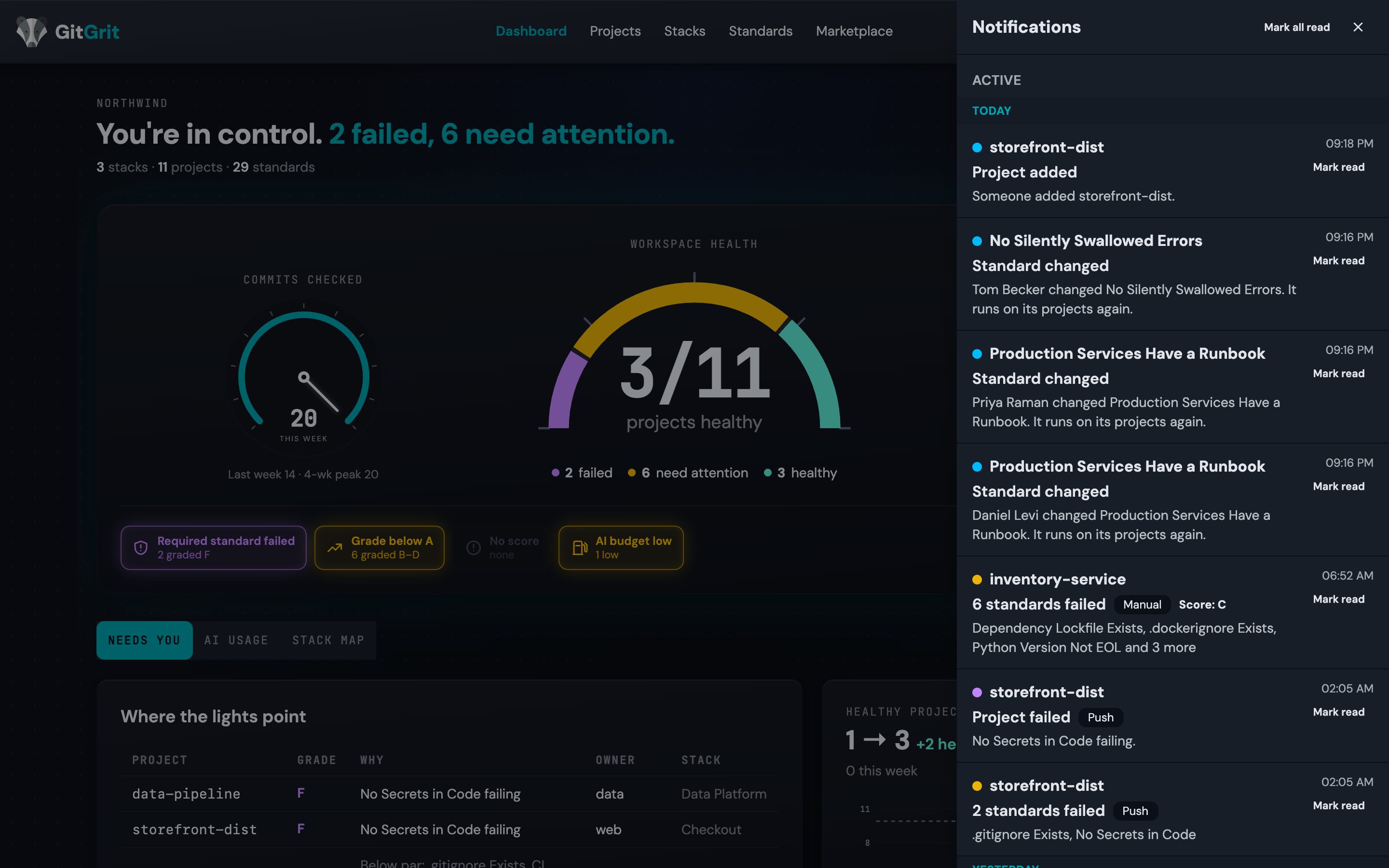
Click it to open the pane:
- Active: what you haven't read yet, newest first, grouped by day. Each one names the project, standard or person, says what happened, and links to where you can act on it.
- History: what you've read. Show more loads older ones.
- Mark read on one, or Mark all read. Opening one marks it read too. You can mark it unread again from History.
What you're told, and who
GitGrit tells the people who can act on it: the workspace's owners and admins, and for runs, whoever triggered the run. Nobody is told about their own change.
| Notification | When | Who |
|---|---|---|
| Project failed | A run failed a project: a Required standard failed where it hadn't before | owners, admins, the run's triggerer |
| Standards failing | A run left standards failing | owners, admins, the run's triggerer |
| Required standard couldn't run | A Required standard errored, so the commit has no score | owners, admins, the run's triggerer |
| Couldn't evaluate | A run couldn't be evaluated at all: every standard errored, or the run itself failed | owners, admins, the run's triggerer |
| Runs timed out | Runs nobody finished were expired | owners, admins, the run's triggerer |
| Git connection broken | The platform refused GitGrit's token | owners, admins, the run's triggerer |
| Dependency map broke | A project's map that used to build failed | owners, admins, the run's triggerer |
| AI provider refused | The provider rejected the key, has no credit, or blocks the model | owners, admins |
| AI budget low / used up | A model's budget reached its low mark, or its limit | owners, admins |
| Project added / removed | Someone added or removed a project | owners, admins |
| Standard changed | Someone edited, enabled, disabled or deleted a standard | owners, admins |
| Member joined / removed | The team changed | owners, admins |
| Role changed | A member's role changed | owners, admins, and that member |
When a run couldn't be evaluated at all, you get Couldn't evaluate alone, not also Standards failing or Required standard couldn't run.
Emails
Notifications live in the app. GitGrit emails you only for your account and your team: confirming your email address, resetting your password, an invitation to a workspace, and (for superusers) new access requests and approvals.