Quick Start
From sign-in to your first health score in about 10 minutes.
You'll need: a GitHub organization (or GitLab group) where you can install apps, and one or two repositories to try it on.
1. Request access
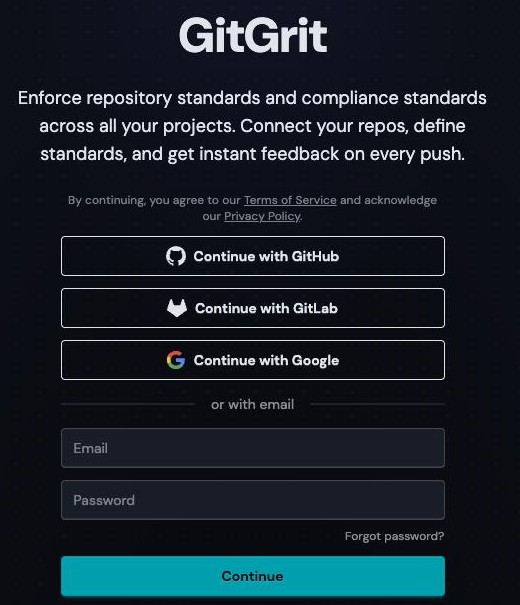
Go to app.gitgrit.dev and sign in with Google, GitHub, GitLab, or an email and password.
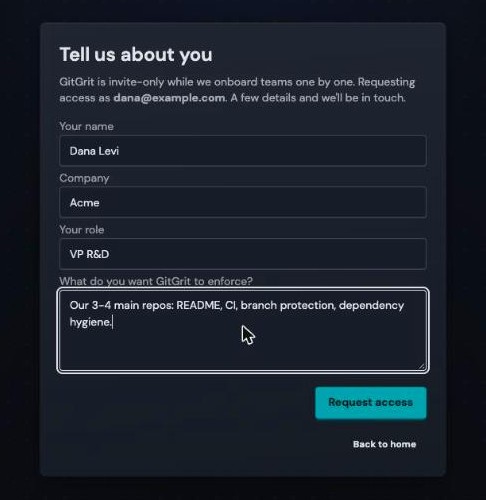
Tell us a little about you and your team, then Request access. Signing up with email? Confirm your address from the email we send first.
We'll email you as soon as you're in. Sign in the same way you just did, and you land in your company's workspace.
2. Connect your git platform
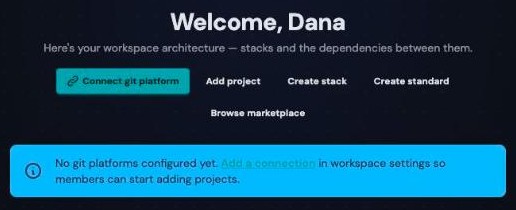
On the empty dashboard, click Connect git platform.
Click Install GitHub App.
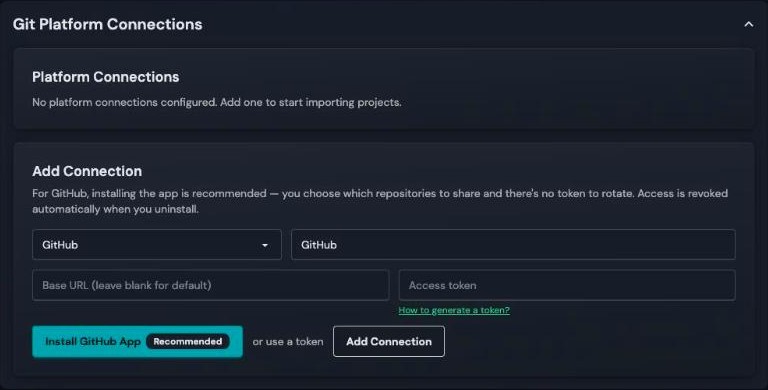
GitHub asks where to install GitGrit:
- Pick your organization.
- Choose Only select repositories and pick the repos you want to try. You can add more later from GitHub.
- Click Install. You're sent back to GitGrit.
No admin rights on the org?
GitHub sends the install to an org owner for approval. Once they approve, click Install GitHub App again.
GitLab, or using a token instead
Pick GitLab (or GitHub) in the same form, paste a personal access token, and click Add Connection. How to generate a token? lists the permissions it needs.
Prefer the terminal?
Once GitHub is connected, steps 3 to 5 are three commands. Run them inside a clone of your repository:
See Command Line to install the CLI and sign in.
3. Install standards
A standard is a check that runs on every commit, like "has a README" or "has CI configured". Start from a ready-made pack: open Marketplace.
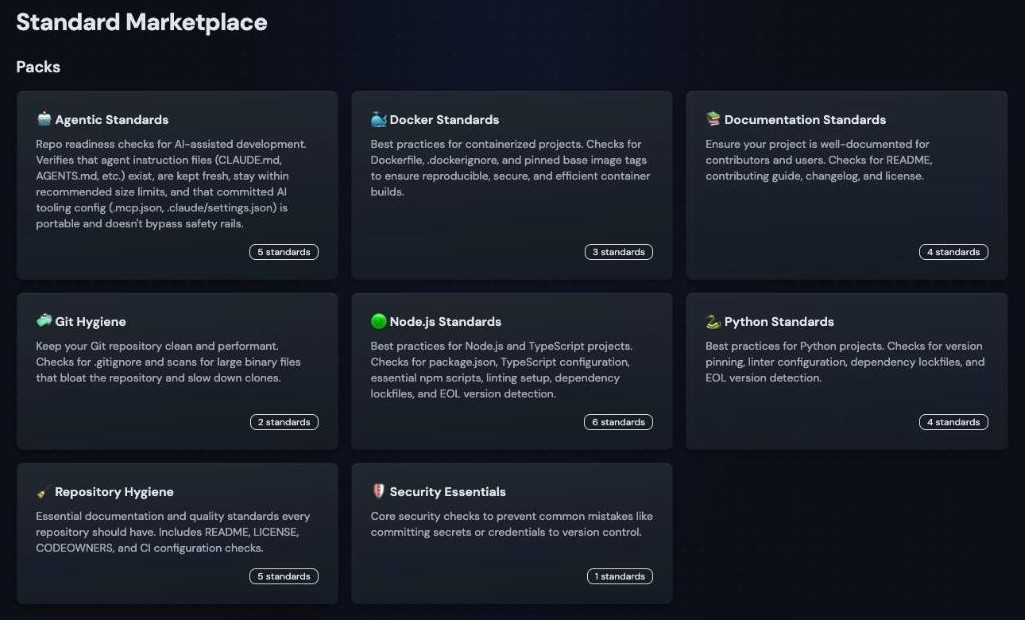
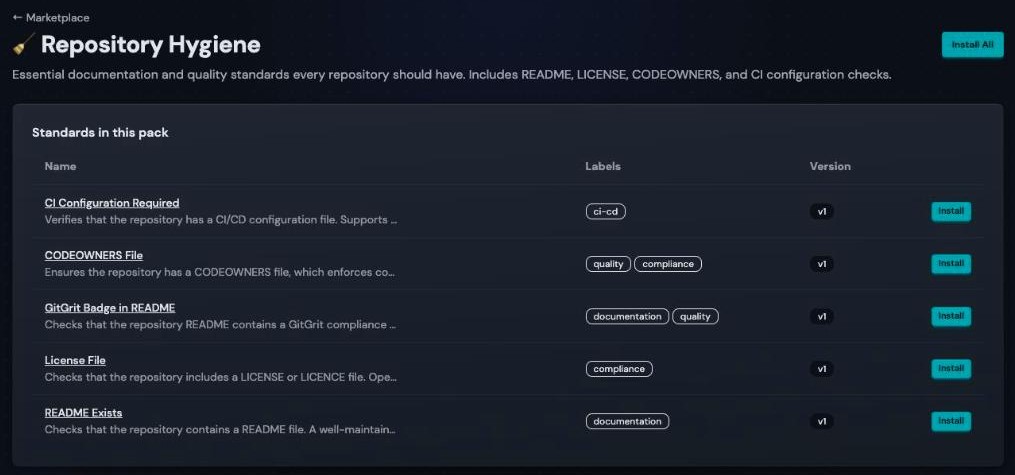
Repository Hygiene is a good first pack: it works on any repo, whatever the language. Open it and click Install All.
4. Add your repositories
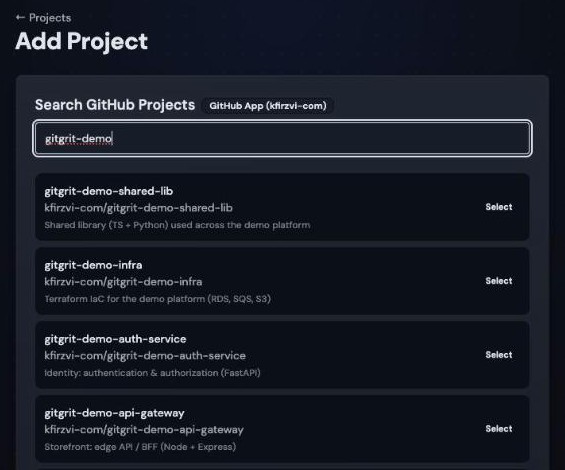
Go to Projects → Add Project, pick your connection, and click Select next to a repository.
Under Attach standards, click Select all, then Add Project.
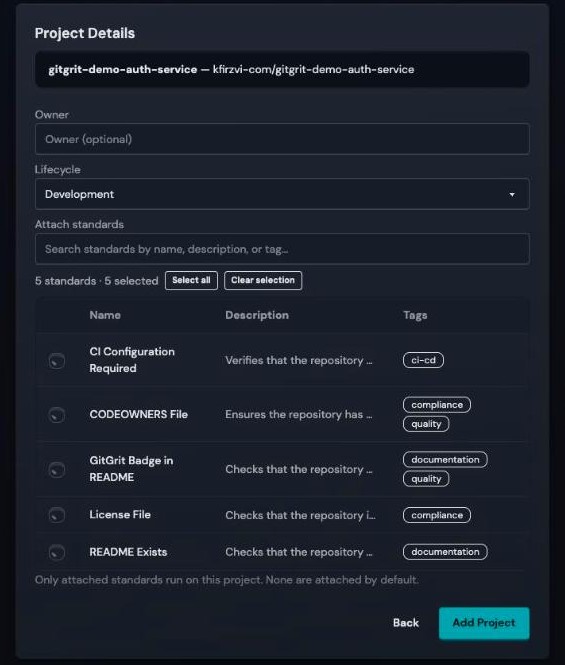
Attach at least one standard
Only attached standards run on a project, and none are attached by default. You can attach more later from the project's Standards tab.
Repeat for each repository you want to try.
5. See your score
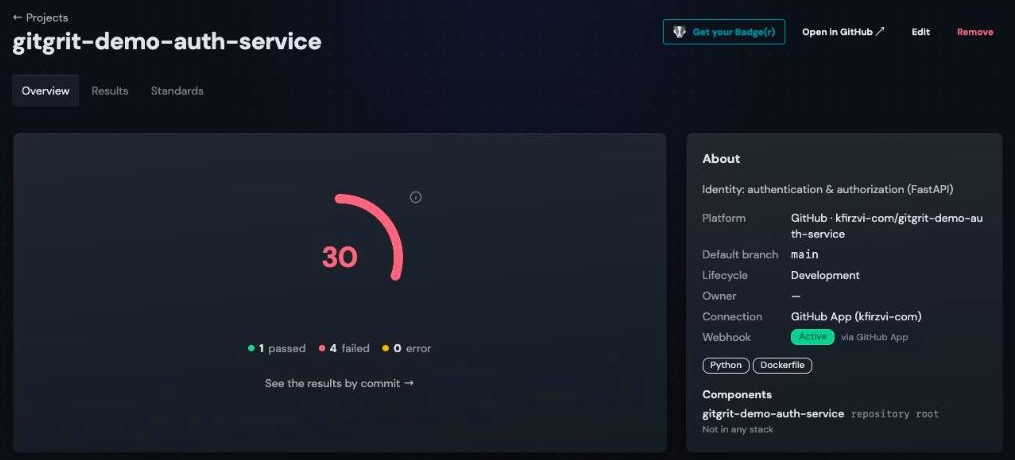
The standards start running as soon as the project is added. Within a minute the project page shows its health score:
Open Results to see what passed, what failed, and why:
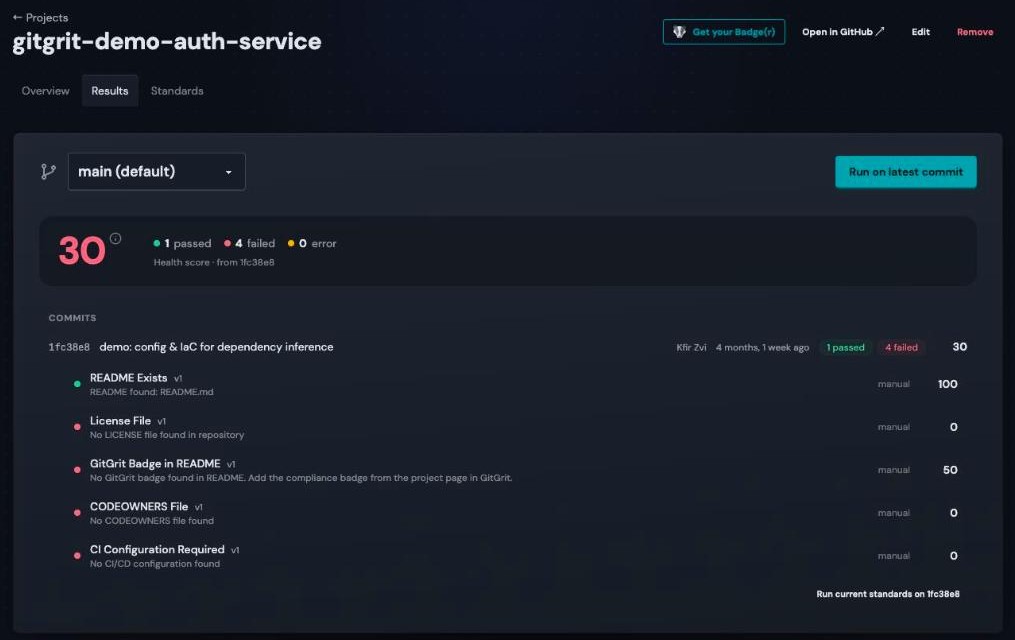
From now on every push re-runs the standards automatically. To run them on demand, click Run on latest commit.
6. Use it from your terminal
The gitgrit CLI does all of the above from your terminal, scripts, and CI:
To fail a CI build when a Required standard fails, run gitgrit check --wait with a workspace token (add --fail-under to also fail on a low score). Command Line has every command and the CI setup.
What's next?
- Command Line: every command, and CI
- Workspaces & Members: invite your team and set roles
- Writing Standards: encode your own team's rules
- Standard Marketplace: Docker, Node.js, Python, security, and more
- Compliance Badges: show the score in your README